Suppliers
Your suppliers, inside the quality system.
Keep the supplier’s risk, facilities, evaluations and quality history on one record. Ask for documents one line at a time. Their own staff answer in a portal that shows them only what you have shared or asked of them.
The boundary
What crosses the line, and what doesn’t
A supplier’s staff sign in to their own portal inside your system. Nothing reaches them unless a row names them, and what they send back lands on the supplier’s record.
Your QMS
The supplier’s portal
Shared documents
In your QMS: Share a controlled document with named portal users. A document it cites is shared with it, one level deep, as a separate grant you can see.
Database refusesCrosses to the portalIn the supplier's portal: They read the version in effect. Drafts and superseded versions stay hidden, and the next revision reaches them when it takes effect.
Document requests
In your QMS: Ask for a bundle: one line per document, from the catalog or typed ad hoc, addressed to named portal users. Types already on file are grayed out before it goes.
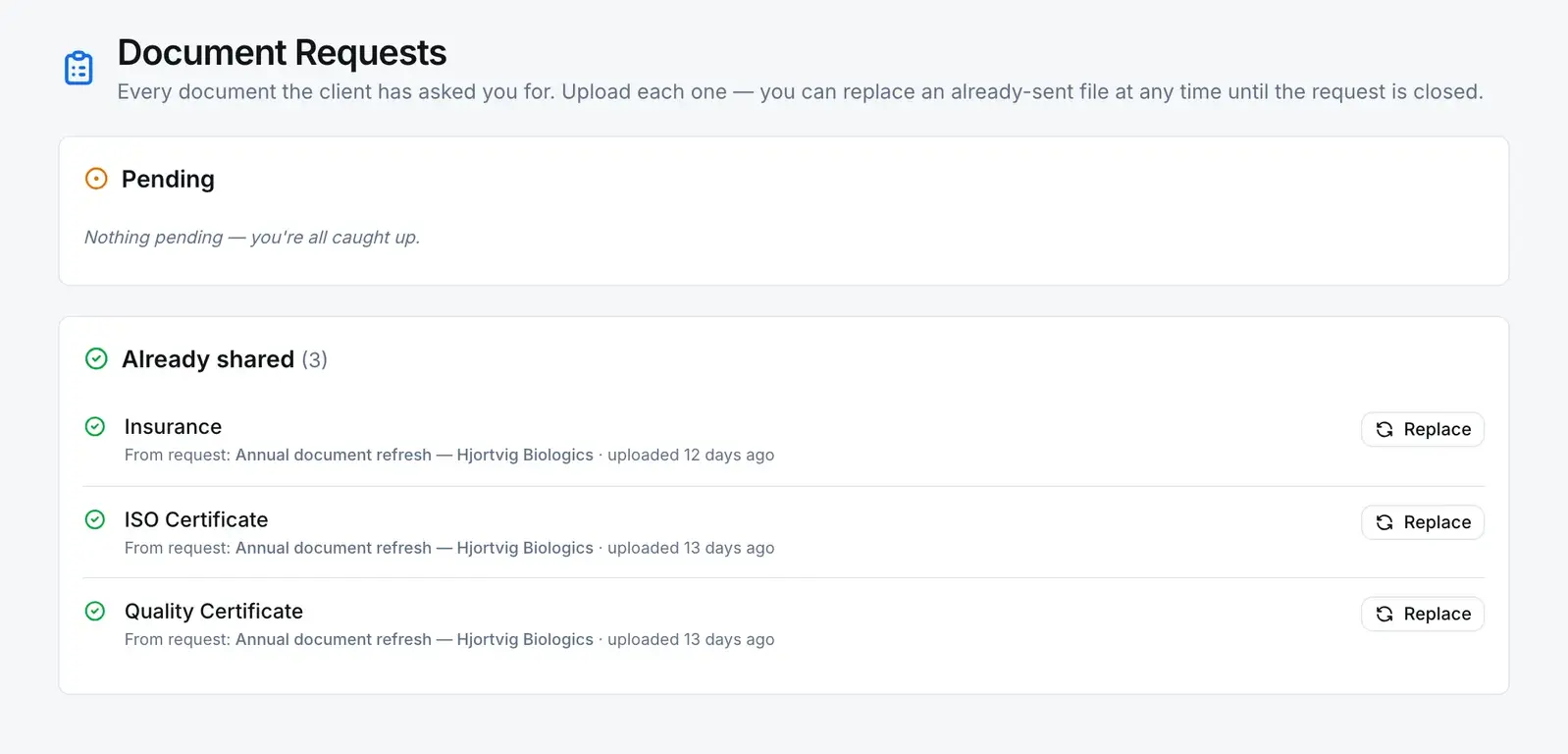
Crosses to the portalIn the supplier's portal: They get a queue of what is pending, and the lines they have already answered, each with a Replace action.
Uploaded files
In your QMS: The line turns Received, the file is filed on the supplier’s Documents tab, and whoever raised the request is notified. With no line left pending, the whole request is Received.
Server refusesComes back to your QMSIn the supplier's portal: They upload one file against each line, and can replace a file they already sent.
Supplier NCs
In your QMS: An NC that names the supplier and is marked supplier-facing sends its action steps to that supplier’s portal users. Its approval steps stay with your people.
Server refusesCrosses both waysIn the supplier's portal: They work the steps assigned to them on that NC, from their own task list.
Quality events
In your QMS: Share an event with the supplier. A comment they leave comes back as a task for your reviewer.
Database refusesCrosses both waysIn the supplier's portal: They read the event and acknowledge it. Notes you marked internal are not in what they read.
Supplier audits
In your QMS: Send the agenda for a supplier audit, and release the audit when you are ready.
Crosses to the portalIn the supplier's portal: The agenda gives them read-only access to the audit. Release opens the requirements and findings to them, and emails them the report.
What stays on your side
- Another supplier’s document requests and files. Those rows are filtered by supplier in the database.
- Drafts and superseded versions of the documents you share.
- Notes marked internal on a quality event you share.
- Approval steps on a supplier-facing NC.
- Your registers and admin screens. The app turns supplier accounts away from them.
- Anything you revoke. Revoking a share stops it working at once, and the revocation is in the audit trail.
Ask for a list. Get a file per line.
A request is a bundle of lines, and each line has its own status, its own file, and its own record of who sent it and when. A half-answered request is visible at a glance, not buried in an email thread.
| Line | Status |
|---|---|
| InsuranceCatalog type · uploaded by the supplier, replaceable | Received |
| ISO CertificateCatalog type · uploaded by the supplier, replaceable | Received |
| Quality CertificateCatalog type · uploaded by the supplier, replaceable | Received |
| Cleaning validation summaryAd-hoc line | Pending |
The portal
An account that holds no permissions at all.
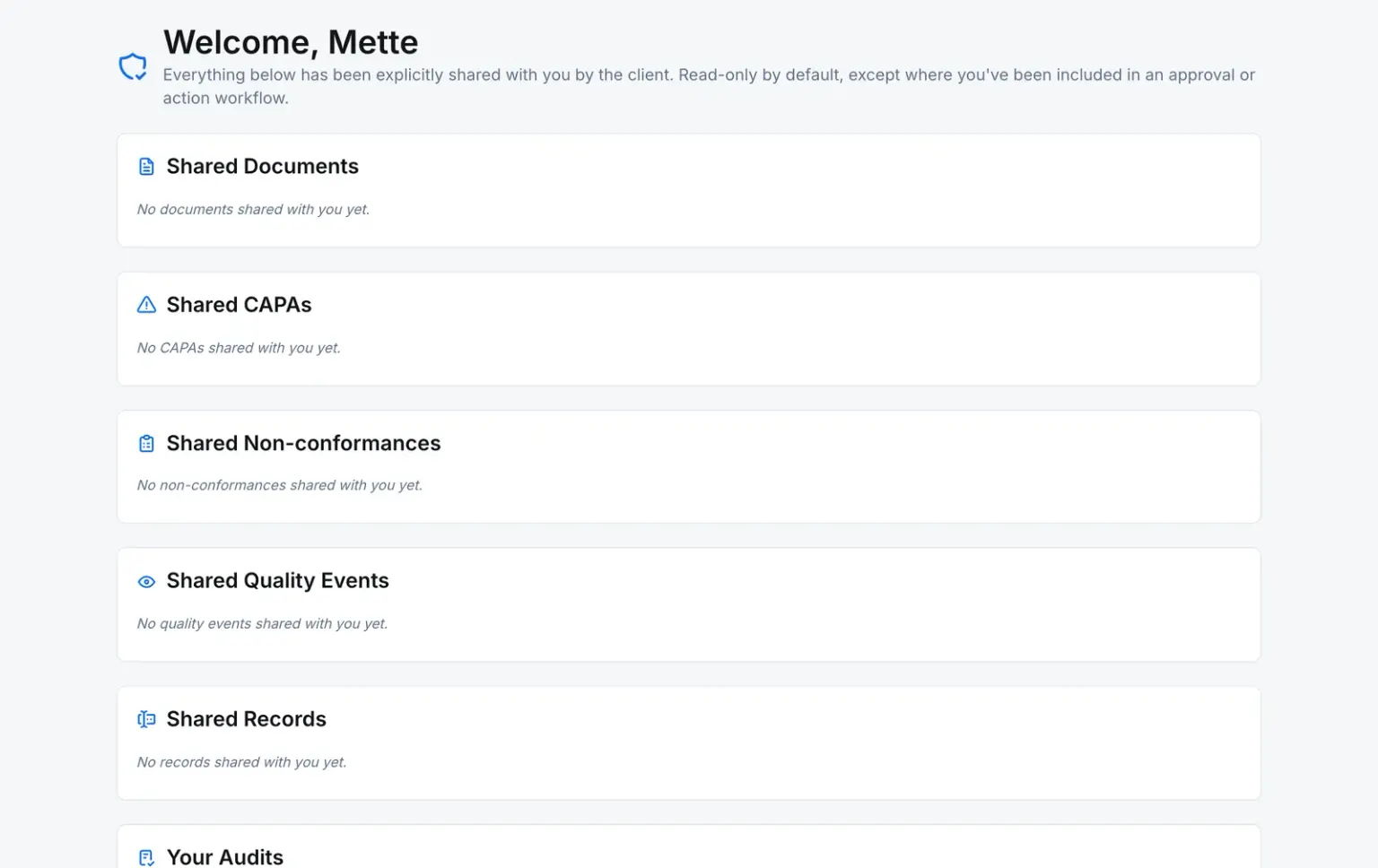
A supplier’s staff are invited from the supplier record and sign in as external users of your company. The app invites them with no roles, so the permission check answers no to everything they ask. What they can read reaches them one of a few ways: a record shared with them by name, a request raised for their supplier, a step assigned to them, or an audit they were sent. Their navigation is replaced with the portal’s own, and your registers and admin screens turn them away.
- No roles, so no permissions of their own
- Access from share rows, requests and assigned steps
- A shared document shows its version in effect, never a draft
Where it leads
A supplier problem becomes a nonconformance
The supplier record doesn’t carry the investigation. The NC does. The supplier’s Quality Records tab shows the open NCs, CAPAs and audits against them, with links to the full lists filtered to that supplier.
Comes from — Supplier
A supplier starts here: onboarded with a code, a category, a risk level, its facilities and contacts.
Leads to — Supplier
NonconformanceNamed
An NC can name the supplier it concerns, and the supplier’s record lists its NCs.
Any NC, CAPA, change request, internal complaint, quality event, inspection lot, document or custom-module record can also be linked by hand as related.
The rules
What holds the boundary
A supplier portal is the one place a regulated system lets an outsider in. These are the controls on that seam.
- Approve a supplier without the right
- Setting a supplier to Approved needs the supplier approve permission. Rejected or Blocked needs reject. A database trigger refuses the change otherwise. Company owners are the one exception.
- Database refuses
- Upload for someone else’s supplier
- The upload path compares the caller’s login to the request’s supplier. A portal user of a different supplier is refused, and so is an internal user: your team files documents from the supplier record instead.
- Server refuses
- Send a file type that isn’t on the list
- A file whose type is not on the allowlist is refused before anything is stored.
- Server refuses
- Re-point a supplier NC after the fact
- Once an NC is submitted, a database trigger refuses any change to its supplier-facing flag or, on a supplier-facing NC, to the supplier it names. The only way to open a submitted NC to a supplier is the convert action, which reassigns its open steps.
- Database refuses
- Keep reading after a share is revoked
- Revoking a share marks the grant row, and the row policies on shared documents, CAPAs, NCs, quality events and audits skip marked rows. The next read no longer returns it.
- Database refuses
- Choose what they are asked for
- Build each request from the document-type catalog plus any ad-hoc lines, and name the portal users it goes to.
- You configure
Before you ask
The questions a quality manager asks first
Does a supplier need an account, or can we just send a link?
They need an account. Documents and document requests reach a supplier through a portal user, a login tied to that supplier, so each upload carries a name. There is no anonymous link: the unauthenticated share pages were removed in favor of this. Inviting the supplier’s staff is part of onboarding. A request raised for a supplier with nobody invited has no one to reach.
Can a supplier see anything else in our quality system?
Their login carries no roles, so the permission check refuses everything by default, and the portal replaces your navigation with its own. What they can read comes from rows that name them: a share, a request for their supplier, a step assigned to them, an audit you sent them. A document request, and the files filed against a supplier, are readable by that supplier’s portal users and not by another supplier’s.
Do we get warned before a supplier certificate expires?
Yes, when your team files it with an expiry date. Upload a document on the supplier’s Documents tab with a certificate type and an expiry date, and a daily job reminds the person who uploaded it and the company owner 90 days before, 30 days before, and on the day it expires. Files a supplier uploads through the portal don’t carry an expiry date.
Do you score or rank suppliers?
No. There is no supplier scorecard. Qualification is an evaluation: a record against a form template you design, with the rating and next review date your template asks for, linked to the supplier. The supplier’s status (Pending, Approved, Rejected or Blocked) is set by someone holding the permission for it.
Can we show an auditor what a supplier was given?
Every share is a row that names who granted it, to whom, and against which record, and whether it was a deliberate share or came along with a document that cites it. Grants and revocations are both in the audit trail. What the system does not record today is a supplier opening something, so it shows what was granted rather than what was read.