Inspections & Log Books
Retire the paper logbook.
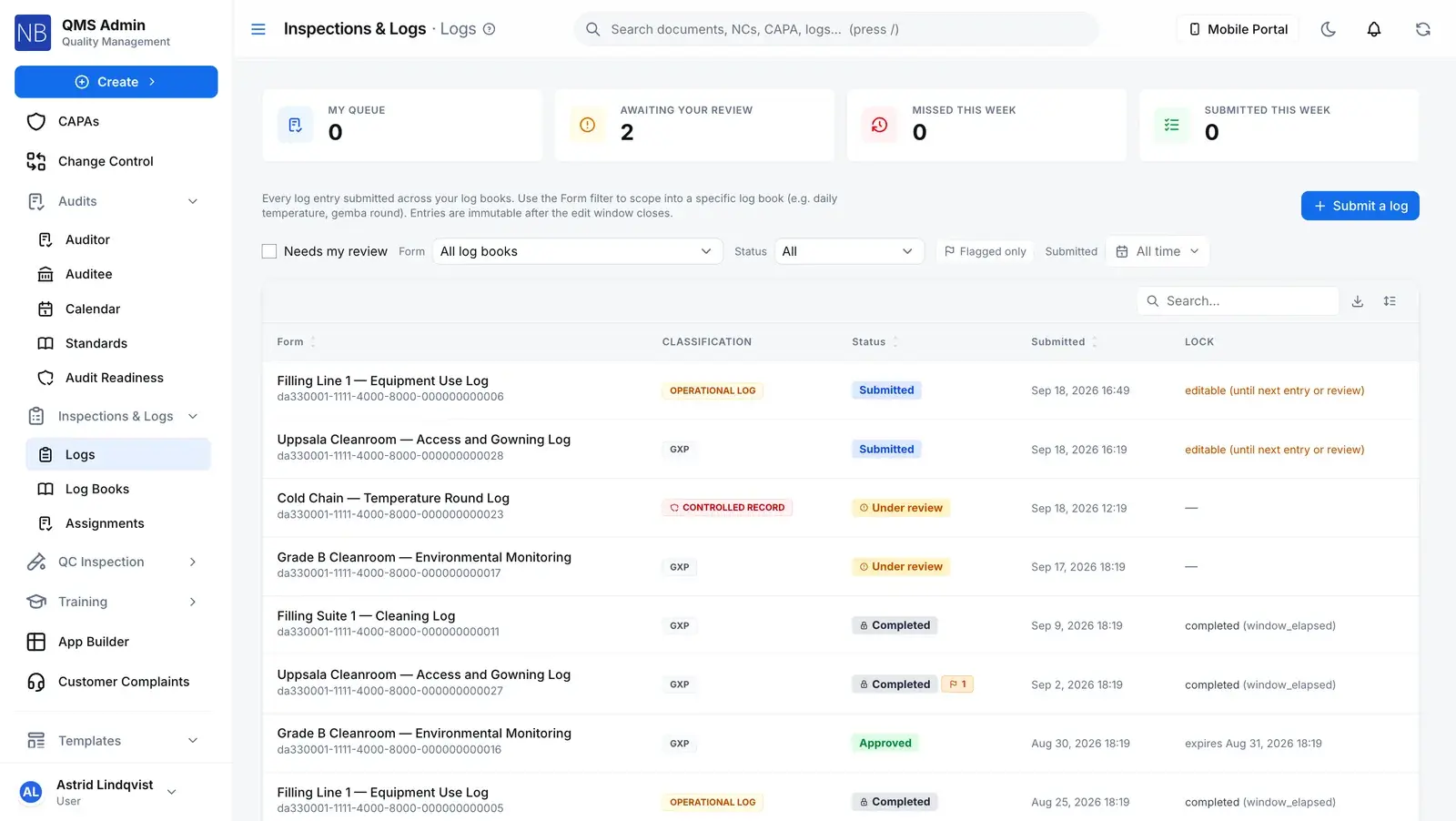
Electronic logbooks for temperature rounds, cleaning, equipment and line checks. Rounds are scheduled to roles and named people and go overdue on their own. Operators scan a label and fill the entry on a phone, the entry locks when its window closes, and the supervisor you named reviews it.
The clock
A round nobody filed doesn’t quietly disappear.
Give a log book a schedule and assign it to roles, named people or both. Each person gets their own occurrence of each round, in their task inbox, and it moves on the server’s clock.
Mon
Morning
CompletedWent through Due →
Filed on time
Evening
CompletedWent through Due →
Filed on time
Tue
Morning
CompletedWent through Due → Overdue →
Filed late, inside the grace period
Evening
CompletedWent through Due →
Wed
Morning
SkippedWent through Due →
Reason: defrost cycle
Evening
MissedWent through Due → Overdue →
Supervisor notified
Thu Today
Morning
CompletedWent through Due →
Evening
DueIn the task inbox
Fri
Morning
Not created yet
Evening
Not created yet
Sat
Morning
Not created yet
Evening
Not created yet
Sun
Morning
Not created yet
Evening
Not created yet
At the due time
Due → Overdue
A server job checks every minute. When the due time passes with no entry, the round turns overdue. Nobody has to notice first.
When the grace period ends
Overdue → Missed
The miss stays on the register, the round leaves the inbox and the book’s supervisor is told. You can set a book to keep late rounds open instead, and rounds driven by an instrument’s due date never auto-miss.
You configureAny other move
Refused
Only the scheduler, an entry filed for that round, or its assignee skipping it with a reason can resolve a round. Completed, Missed and Skipped are final, so a miss can’t be turned back into a due round.
Database refuses
On the floor
Scan the label. Fill the entry. Walk on.
Print a QR label for a book and stick it where the work happens. Scanning it opens that book’s entry form in the phone’s browser. The label points at the book’s lineage, not one version, so it still works after the book is revised.
Scan to log an entry
Cold Chain — Temperature Round Log
TMP-LOG-SC-01
Scan with your phone camera. Sign in if asked — you will be brought straight back here.
Step 1: Scan the label
The phone camera opens the book’s entry form in the browser. If the book is mid-revision, the phone says so instead of taking the entry.
Step 2: Fill and sign
A controlled book asks for an e-signature on submit. If its SOP needs training, only people verified on it can file.
Step 3: Walk on
“Log saved”, and the phone goes back to the list of books, ready for the next one.
Not a screenshot
Cold Chain — Temperature Round Log
Controlled record E-signature required on submit. Edits only inside the book’s window.
- Unit *
- Cold Room A (2-8C)
- Reading (C) *
- 4.6
- In range *
- Yes
- Round *
- Evening
- Action taken
- —
Flag this entry for supervisor review
When the entry locks
Each book decides when an entry stops being editable.
Until then, the person who filed it can correct it. After that, nobody edits it. The window is worked out on the server, never from the phone’s clock.
After a fixed time
TIME_WINDOWCounted from the server’s submission time. A server job seals the entry once the window has passed.
Until the next entry
UNTIL_NEXT_ENTRYThe next entry seals the one before it. You choose whose next entry counts: anyone’s in the book, or the same person’s.
Until review
UNTIL_REVIEWThe entry waits for its reviewer, open to its author, and locks when the review is done. The Cold Chain log above works this way.
Or no window at all: the entry locks the moment it is submitted.
After it locks, a correction goes on top
A locked entry is corrected by amendment: a stated reason and an e-signature. The amendment is a new revision, and the original stays underneath. Voiding works the same way and keeps the entry in the book.
Revision 1 · Submitted Signed
Revision 2 · Amended Signed
Revisions are append-only in the database. Nothing on a written revision can change, except attaching its signature once, and the entry itself only moves through the edit, amend, void and review actions.
The rules
What a paper logbook can’t hold
- Rewrite a filed entry
- Who filed it, when, and which version of the form it was filed against are written once, for every caller. Corrections are new revisions, and a voided entry is sealed.
- Database refuses
- Edit after the window closes
- Only the person who filed an entry can edit it, and only inside the window. After that it takes an amendment with a reason and an e-signature.
- Server refuses
- File without verified training
- Link the book’s controlling SOP, and anyone without a verified training record on it is refused when they submit. Where the training needs manager verification, completion alone doesn’t count.
- Server refuses
- Review a book you weren’t named on
- Only the book’s supervisor, its additional reviewers (limited to the book’s sites) and the company owner can approve or reject its entries. A general review permission isn’t enough. Approve and reject are e-signed.
- Server refuses
- Approve your own entry
- On a book that requires independent review, the reviewer can’t be the person who filed the entry, including when a supervisor signs at the operator’s workstation with their own PIN.
- Server refuses
- Your schedule, window and classification
- Cadence, roles and people, the edit-window mode, controlled record or operational log, whether late rounds miss or stay open, and whether reviewers get each entry or a daily digest.
- You configure
Connected records
Where a log book sits in the quality system
Controlled documentfeedsLog book
The SOP the log book follows, and the training requirement that decides who may file entries.
TrainingfeedsLog book
A verified training record on the linked document. Where manager verification is required, completion alone doesn’t count.
Log entryfeedsEquipment
On a book set to sync with its instrument, a calibration or maintenance entry rolls the next-due date forward (on approval, if the book is reviewed). That is the date QC inspection checks before accepting a result.
Straight answers
What floor supervisors ask first
Is there a mobile app?
Not a native one, and it doesn’t work offline. Floor staff use a mobile-first page in the phone’s browser, usually opened by scanning the QR label on the equipment or the wall. It needs a network connection to submit an entry.
Does scanning the label tick off the scheduled round?
No. A scanned entry is logged against the book. A scheduled round is completed by the entry filed from that round’s task, which the operator opens from their task inbox, on the phone too. That keeps a round from being closed by an entry that was never meant for it.
What happens when a scheduled round is missed?
By default, the round goes from overdue to missed when its grace period runs out, the book’s supervisor is notified, and the miss stays on the register. A book can be set to keep late rounds open until they are done instead. Rounds driven by an instrument’s calibration or maintenance date never auto-miss.
Can an operator fix a mistake after the entry locks?
Not by editing it. Inside the window, the author can correct their own entry. After it locks, a correction is an amendment: it needs a stated reason and an electronic signature, and it is added as a new revision on top of the original rather than replacing it.
Does an out-of-range reading raise a nonconformance?
No. Log entries don’t raise NCs or quality events. The operator can flag an entry for the supervisor when they submit it, and if the reading needs investigating, someone files a quality event for it.
Can a log book’s form be changed once it is in use?
Not in place. A book is approved before anyone can file in it, and after that its fields are frozen. Changing one means a replacement version, and approving it retires the old one. Each entry keeps a copy of the form it was filed against, and printed labels open the current version.
How are log books priced?
Inspections and log books, and the mobile floor page, are part of specific plans. See the pricing page for which one, or ask us to scope it for your sites.