CAPA
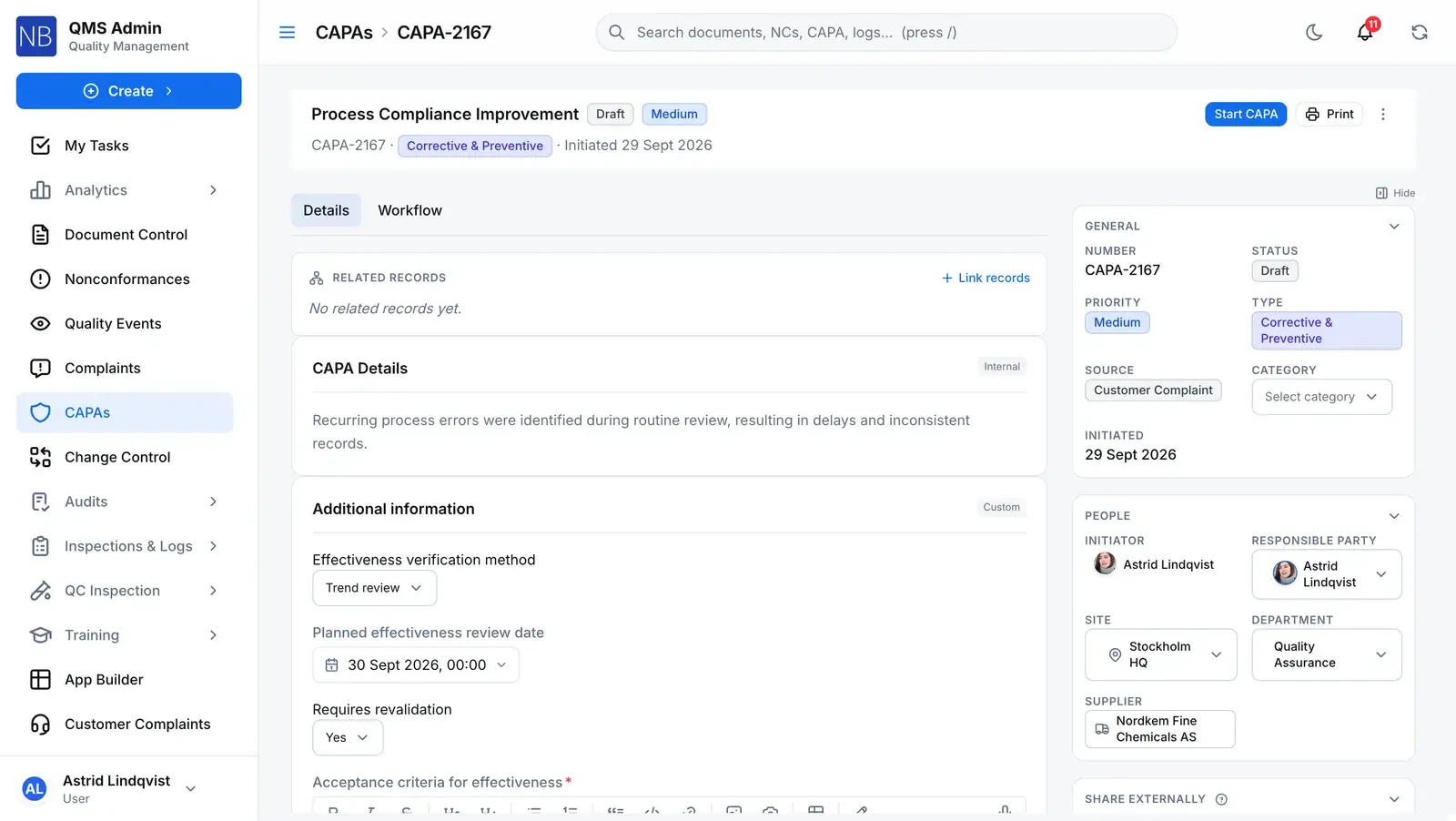
Close a CAPA only when the work is done.
Drive root-cause analysis and corrective and preventive actions through a repeatable, staged workflow. Closure is refused while any step is outstanding and is signed when it happens — and a scheduled effectiveness check asks, later, whether the fix actually held.
The loop
The work, the close, then the verdict
A CAPA closes when its work is done. Whether the fix held is a separate question, asked on a clock after the close — and answered under a signature.
Step 1
Investigation
Step 2
Action Plan
Step 3
Implementation
Close
Refused while any step is open
Closed
Step 4 · after close
Effectiveness Check
Signed verdict
Close: refused while any step is open
Signed verdict
- Effective
- Extend monitoring
- Not effective
Every CAPA moves only along
- Database refusesCreated only as a draft; its status can’t be changed by a direct data edit — only by submit, the workflow, close or cancel.
- Server refusesClose and cancel each ask the owner to re-authenticate, and write a signature against the CAPA.
- Server refusesA reviewer who rejects or sends back a step returns the CAPA to Draft, to its owner.
Where a CAPA comes from
Raised from the problem, and linked to it for good.
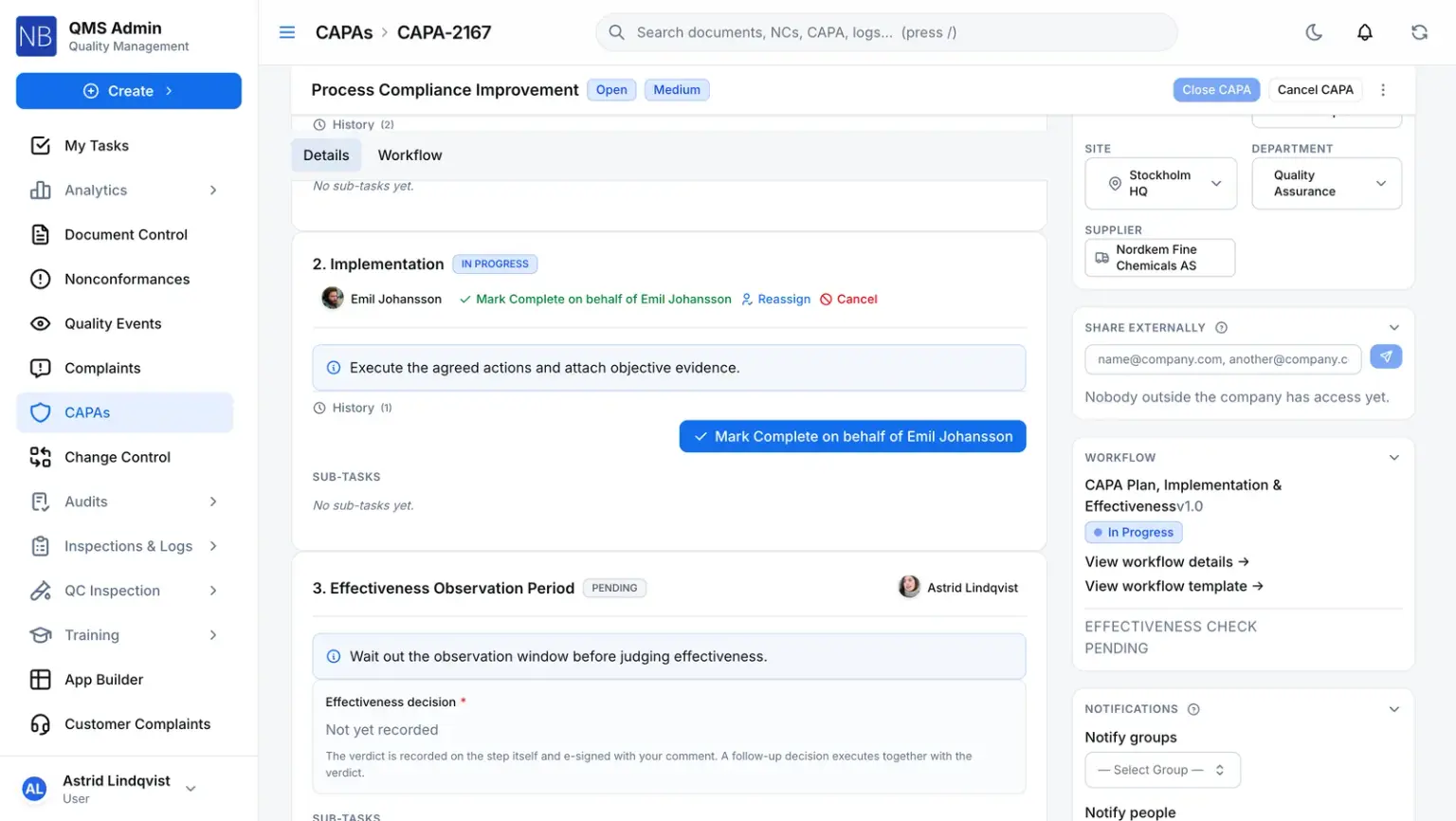
Most CAPAs answer something that already has a record. Raise one in the same action as a nonconformance and both are created, opened and linked together; escalate a quality event and the CAPA is created as a draft with a link back; point an audit finding at one and the CAPA shows which audit and finding it came from. The deviation itself — containment, disposition and its own signed close — lives on the nonconformance. The CAPA carries the remediation.
- Source recorded on every CAPA: nonconformance, audit, observation, management review and more
- A nonconformance marked as needing corrective action cannot close until a CAPA is linked to it
- Lineage visible from both ends — the CAPA knows its origin, the origin shows its CAPA
The check, on the record
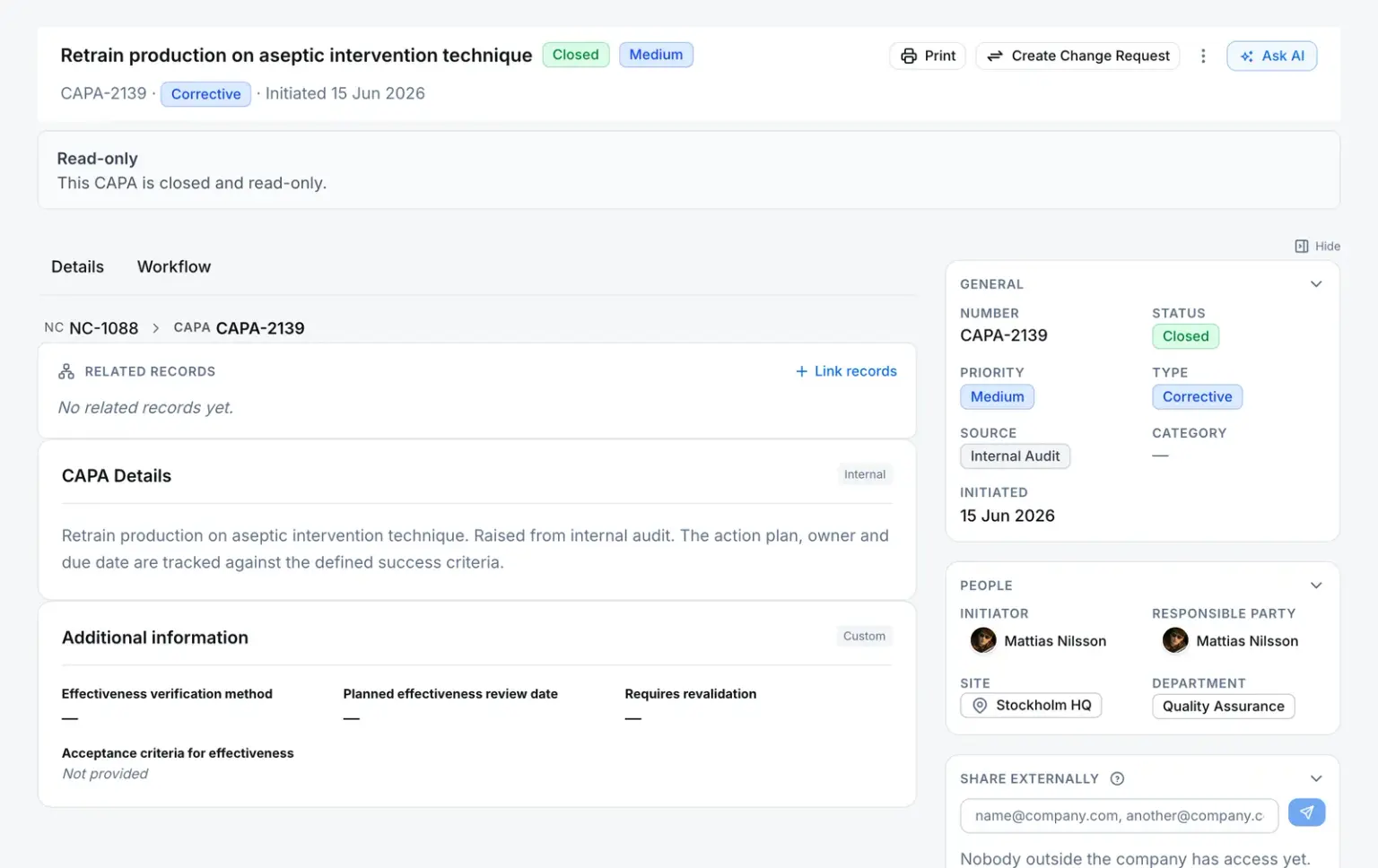
Your steps, your names — the same signed verdict.
Workflows are yours to shape: the demo company’s own CAPA workflow calls its check “Effectiveness Observation Period”. Whatever you name it, it is a delay step. It waits, comes due as a task, and asks for a decision recorded on the step itself and signed with your comment.
- Every step lands in its assignee’s inbox with a due date
- Extending moves the due date, not the work — the verdict can still be recorded early
- An approval already in flight keeps the rules it started under
Connected records
Where a CAPA comes from, and what it leads to
Each link is visible from both records, so the history reads in either direction.
Comes from — CAPA
Quality eventEscalated
Escalated straight to a CAPA instead, the event’s severity becomes the CAPA’s priority, and both records show the link.
Audit findingRaised
The finding records the CAPA it produced, and the CAPA shows the audit it came from.
NonconformanceCreated from
A CAPA raised from an NC keeps a pointer back to it, and the NC lists its CAPAs.
Leads to — CAPA
Change requestCreated from
A change raised from a CAPA is linked to it, visible from both records.
Any NC, CAPA, change request, internal complaint, quality event, inspection lot, document or custom-module record can also be linked by hand as related.
What the system enforces
The rules behind a CAPA
Each rule says where it lives — so you know which ones a misconfiguration can’t switch off.
- No close with a step open
- Every step and sub-step must be approved, skipped or cancelled. The refusal says how many are still open.
- Server refuses
- A scheduled check can outlive the close — an unscheduled one can’t
- An effectiveness check with a due date runs on after the CAPA closes. One that was never scheduled still blocks the close until it is scheduled or skipped.
- Server refuses
- No verdict without a comment and a signature
- The check can’t be completed without an outcome and a written comment, and the verdict is e-signed even if the step itself doesn’t require signatures.
- Server refuses
- Monitoring extends a bounded number of times
- Each check carries an extension limit — two in the default workflow. Once it is used up, the check has to be answered.
- Server refuses
- Steps, owners and windows are yours
- Name and order the steps, choose who reviews each one, set due windows, the monitoring delay and whether a step requires a signature.
- You configure
For your auditor
Only people with Manage Access on the module can share.
Share this record
- Send it to anyone outside your company — no account needed.
- They open it with a 6-digit code sent to their own inbox.
- They see a read-only summary with its attachments, not your whole record.
- The link expires after 30 days, and you can withdraw it at any time.
- Every open is logged, so you can see who looked and when.
Or bundle it for an audit
For an external audit, collect effective documents and quality records into one Audit Records Package — one link and one code for each auditor.
Before you move CAPAs over
What a CAPA owner asks first
Can a CAPA be closed with a step still open?
No. Close is refused while any workflow step is outstanding — approved, skipped or cancelled are the only ways a step stops counting. The one exception is a scheduled effectiveness check, which is meant to come due after the close. When the close does go through, the owner re-authenticates and the signature is written against the CAPA.
What happens when an effectiveness check says the fix did not work?
The check is closed as not effective, with a written justification and a signature, and the CAPA itself is left as it was. The follow-up is a new CAPA that someone raises on purpose. Reopening the original automatically is built but not switched on, so we do not describe it as a feature.
Does QAbility escalate overdue CAPAs?
Not on the CAPA record, and that is a real limit. Each workflow step has a due date and lands in its assignee’s inbox with due and overdue notifications, but there is no CAPA-level SLA clock or automatic escalation up a management chain. If you track CAPA ageing today, plan on doing it from the register or a report.