Platform
One approval engine. One inbox. One ledger.
Document versions, CAPAs, nonconformances, change requests, complaints, audits and inspection lots all approve through the same engine, and so do the record types you build. Every step lands in one task inbox, and every signature in one ledger. Learn it once.
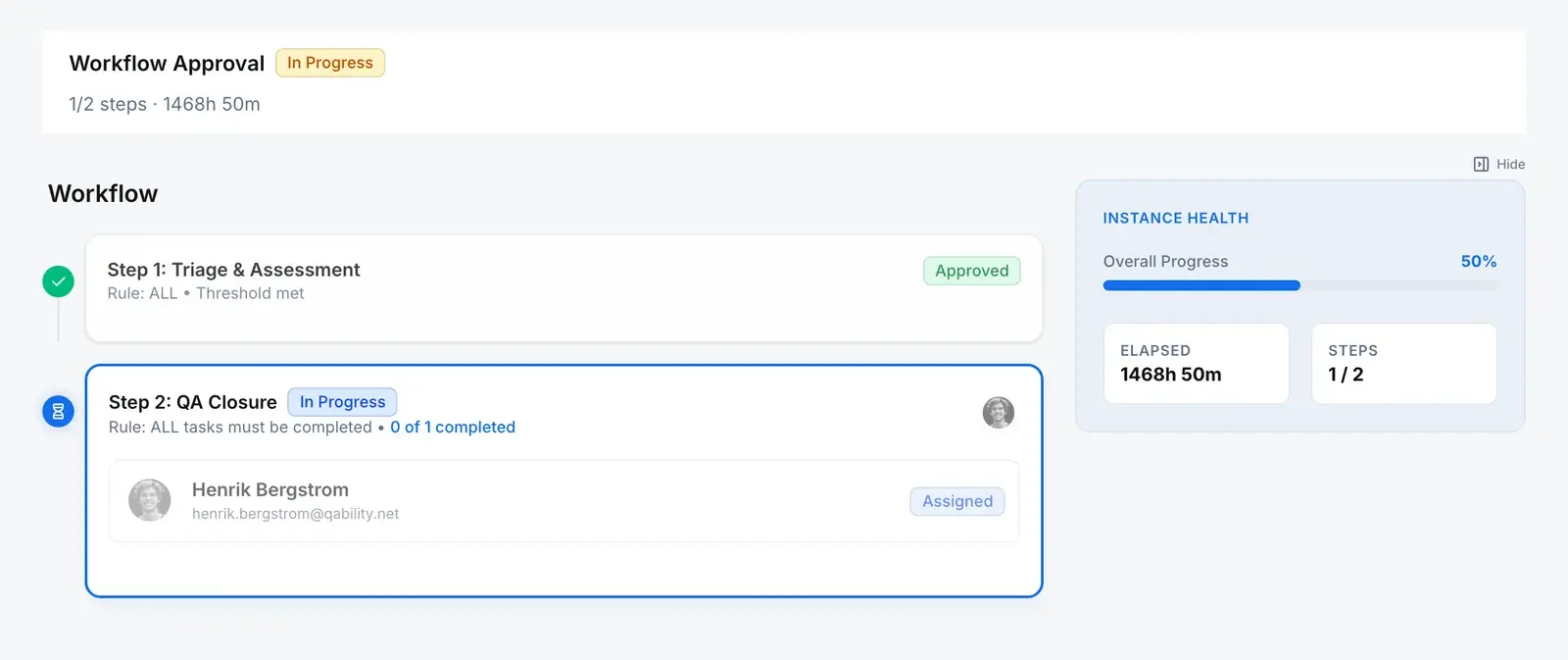
The engine
Many record types in. One engine. One place the work lands.
There is no second approval system anywhere in the product. Each record type below starts a run on the same chain of objects, named here after the tables that hold them.
Record types wired to it
One workflow engine
Template
workflowsThe process, drawn once: steps in order or in parallel, reviewers by role or by name, ALL or ANY to pass, a due-in, and whether a comment or a signature is required.
Version
workflow_versionsPublishing retires the version before it, so one version is live. A step with nobody to review it cannot be published.
Database refusesRun
workflow_instancesOne per record submitted, tied to the version it started on.
Database refusesStep
workflow_instance_stepsCarries its own copy of the rule, due-in, comment and signature settings, so editing the template later does not rewire a run in flight.
Database refusesTask
task_instancesActivating a step gives each reviewer a task with a due date.
Database refusesSignature
signaturesWhere the step asks for one, the reviewer re-authenticates and the signature is written against their task or step.
One inbox
My Tasks
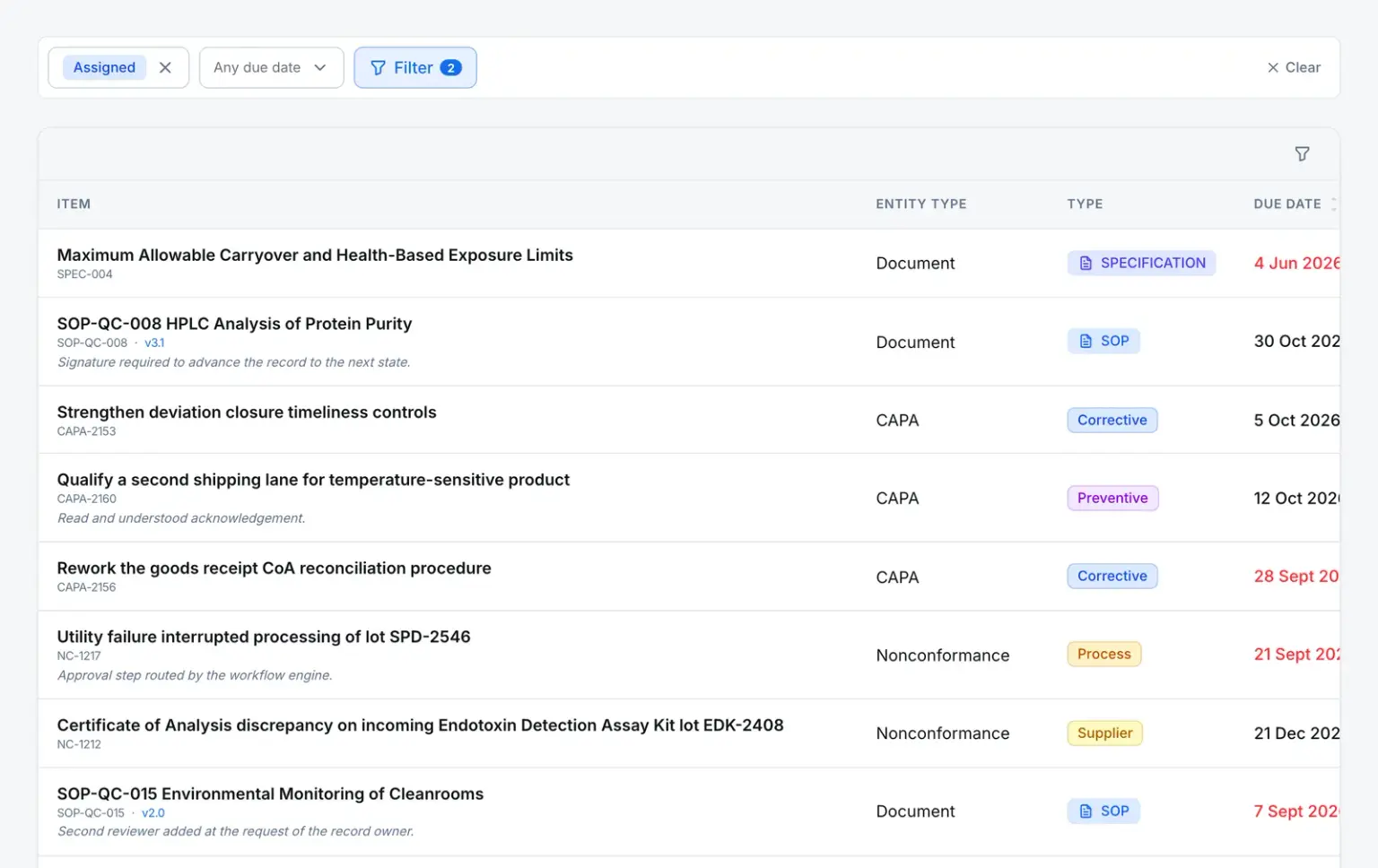
Whatever module a step belongs to, the task lands in the same queue, with its record and due date.
- Documents, CAPAs and NCs side by side
- Overdue dates stand out
One ledger
Signatures and the audit trail
Every signature is a row in one signature ledger, and every change to templates, runs, steps and tasks is on the audit trail.
- One signature table for every record type
- The same append-only audit trail
Not on the engine. Quality events and training have their own, simpler flows: an event has one assigned reviewer, and training runs on assignment, completion and a manager’s verification. And a run does not branch on the record’s data. Steps run in the order the template sets.
One inbox
Everything waiting on you, wherever it came from.
A step activating anywhere in the system creates a task. Those tasks land in one list with their record, its type and its due date, so nobody has to remember which module was waiting on them.
- Assignments from every module in a single queue
- Due dates computed from the step that created them
- Open the record straight from the task
Automation rules
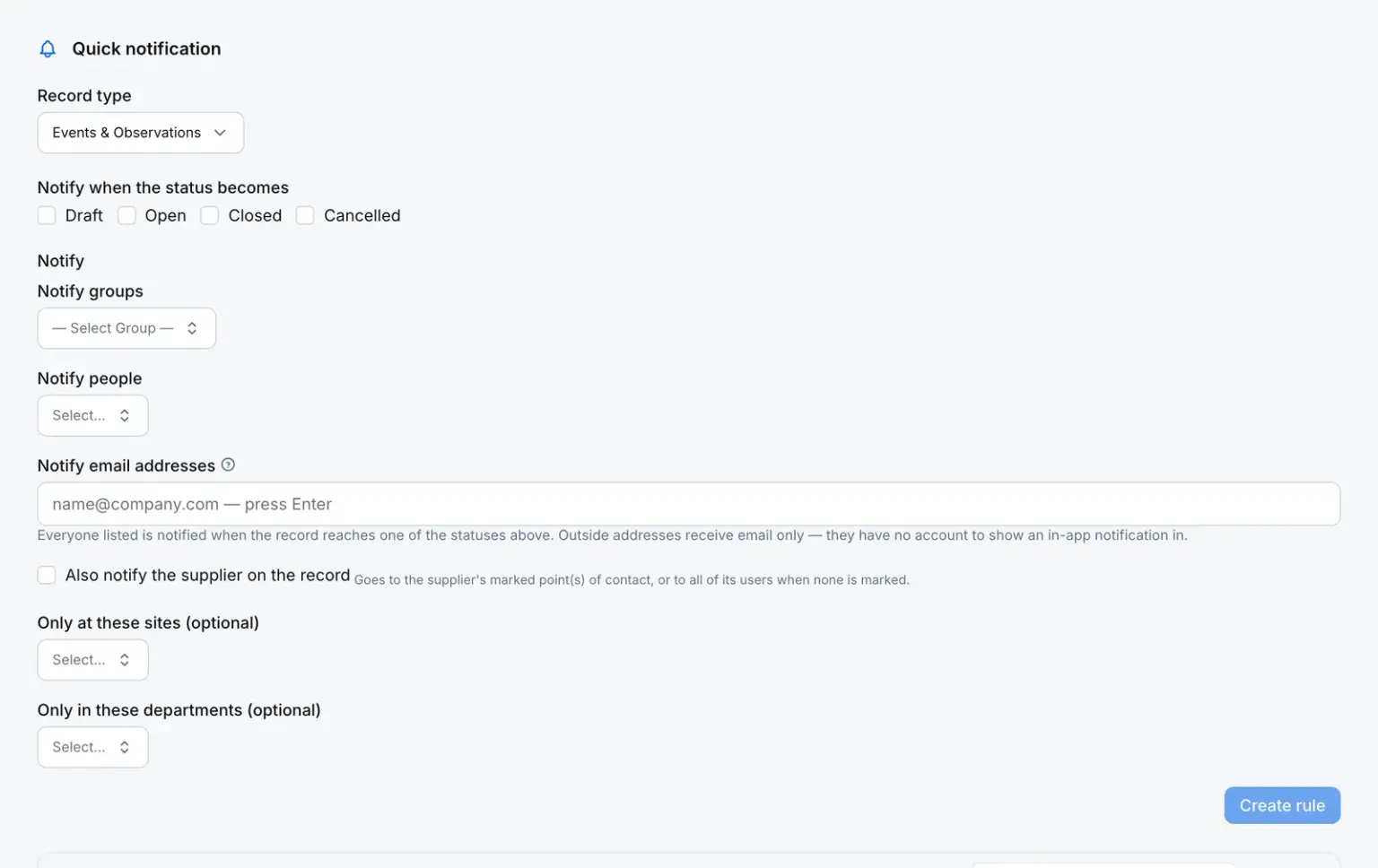
When this happens, tell these people.
A rule reads: when a record of this type is created, updated or changes status, and these conditions match, do this, optionally only at certain sites or in certain departments. Most actions notify groups, people, the owner, the supplier or outside email addresses. A quality event can also raise a nonconformance, and a record type you build can raise a task.
- Conditions over the record’s own fields
- Scoped by site and department
- Works on the record types your admins build, including a daily date check
The rules
What the engine will not let anyone do
The rules sit on the engine’s own tables, so a direct write through the app’s GraphQL API is refused like any other caller.
- Set a run or a step to approved by hand
- Run and step statuses change only through the engine’s actions, such as approve, reject, reassign and cancel, and only along legal edges.
- Database refuses
- Tick off an approval task directly
- An approval task can only be actioned through the endpoint that verifies the signature and advances the run. A task cannot be re-pointed at another record.
- Database refuses
- Bring back a retired process
- Retired and archived template versions are terminal. To change the process, you publish a new version.
- Database refuses
- Publish a step nobody can review
- Publishing is refused, and the version goes back to draft, if any step has neither a role nor a named reviewer.
- Server refuses
- Rewire an approval already in flight
- Each run keeps its own copy of the step rule, due-in, comment and signature settings. Template edits apply to the next run.
- Server refuses
- The route, the reviewers and the deadlines
- Steps, parallel groups, ALL or ANY, due-ins and comment and signature requirements are yours to set per template.
- You configure
Connections
What it connects to today
A short list, and a true one.
| Connection | What it is for |
|---|---|
| Service accounts | Machine users for system-to-system work. They have no password and cannot sign in; their keys are shown once and stored hashed, and they act with only the roles you give them. Created by a person, never self-issued, and set up with us on request. |
| Google and Microsoft | Sign in with the accounts your people already have. |
| Google Cloud Storage or S3-compatible storage | Document and attachment storage. |
| SendGrid | Outbound notification email. |
There is no public API, no webhooks and no ERP, MES or LIMS connector today.
Straight answers
What evaluators ask about the engine
Does every record type run on the engine?
No. Document versions, CAPAs, nonconformances, change requests, both kinds of complaint, audits, inspection lots, specifications, log books and the record types you build do. Quality events have one assigned reviewer instead, and training runs on assignment, completion and a manager’s verification.
Can a workflow branch on the record’s data?
No. A template runs its steps in the order it sets, sequentially or in parallel groups. It does not choose a path from a field on the record. If two kinds of record need different routes, give them different templates.
What happens to approvals in flight when we change the process?
They finish on the settings they started with. Each run keeps its own copy of the step rules, due-ins and comment and signature requirements, and publishing a new version retires the old one for the next run.
Is there an API or webhooks?
Not a public one, and no webhooks. For system-to-system work we set up a service account with you: a machine user with its own roles, no password, and a key that is shown once and stored hashed.