Skip to content

Quality management system

The quality system that enforces its own rules.

Every record carries its approvals, signatures and history — and links to the one that caused it. Deviations, CAPAs, changes, documents and training, for regulated manufacturers.

Built for 21 CFR Part 11 and ISO 13485 environments

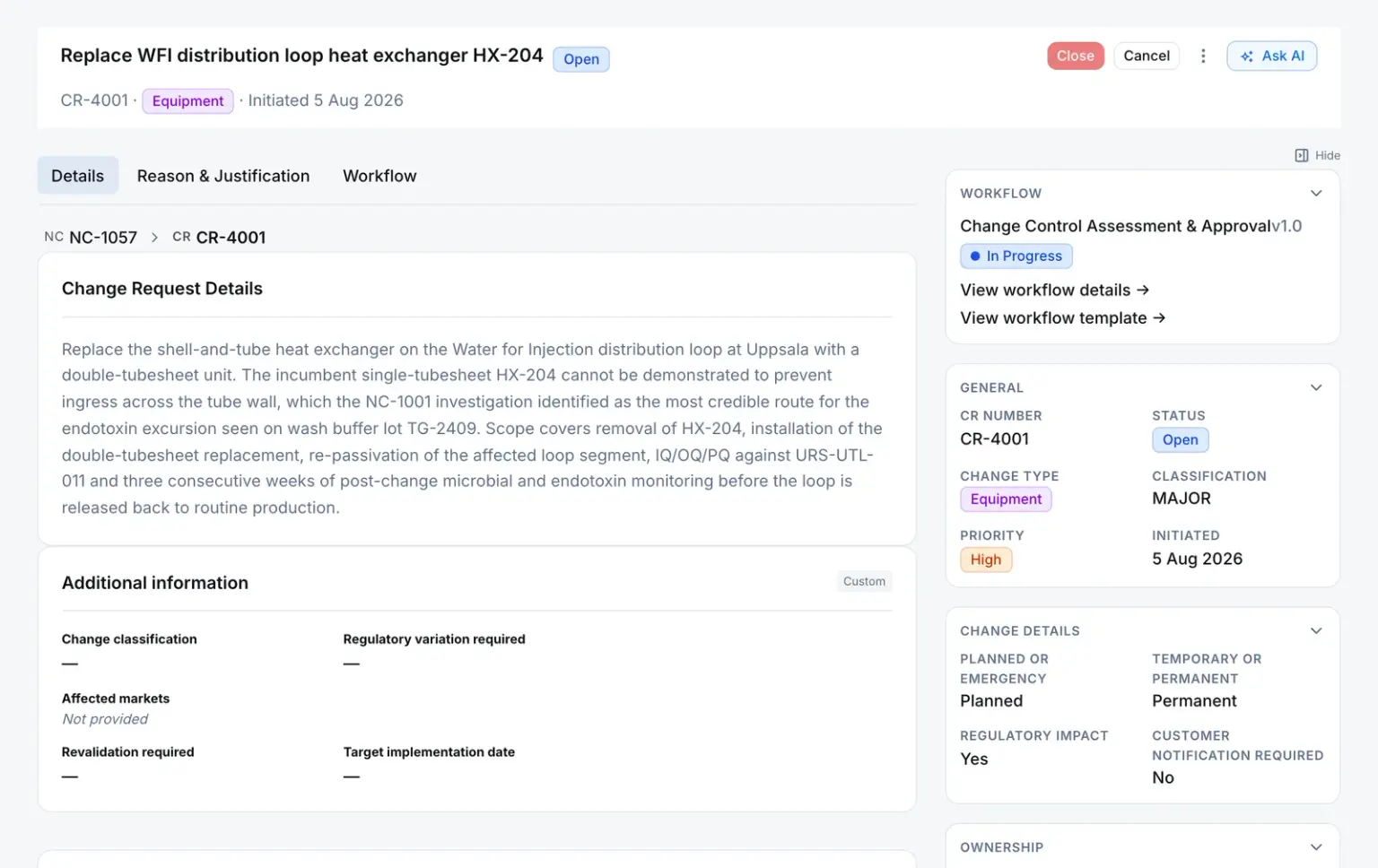
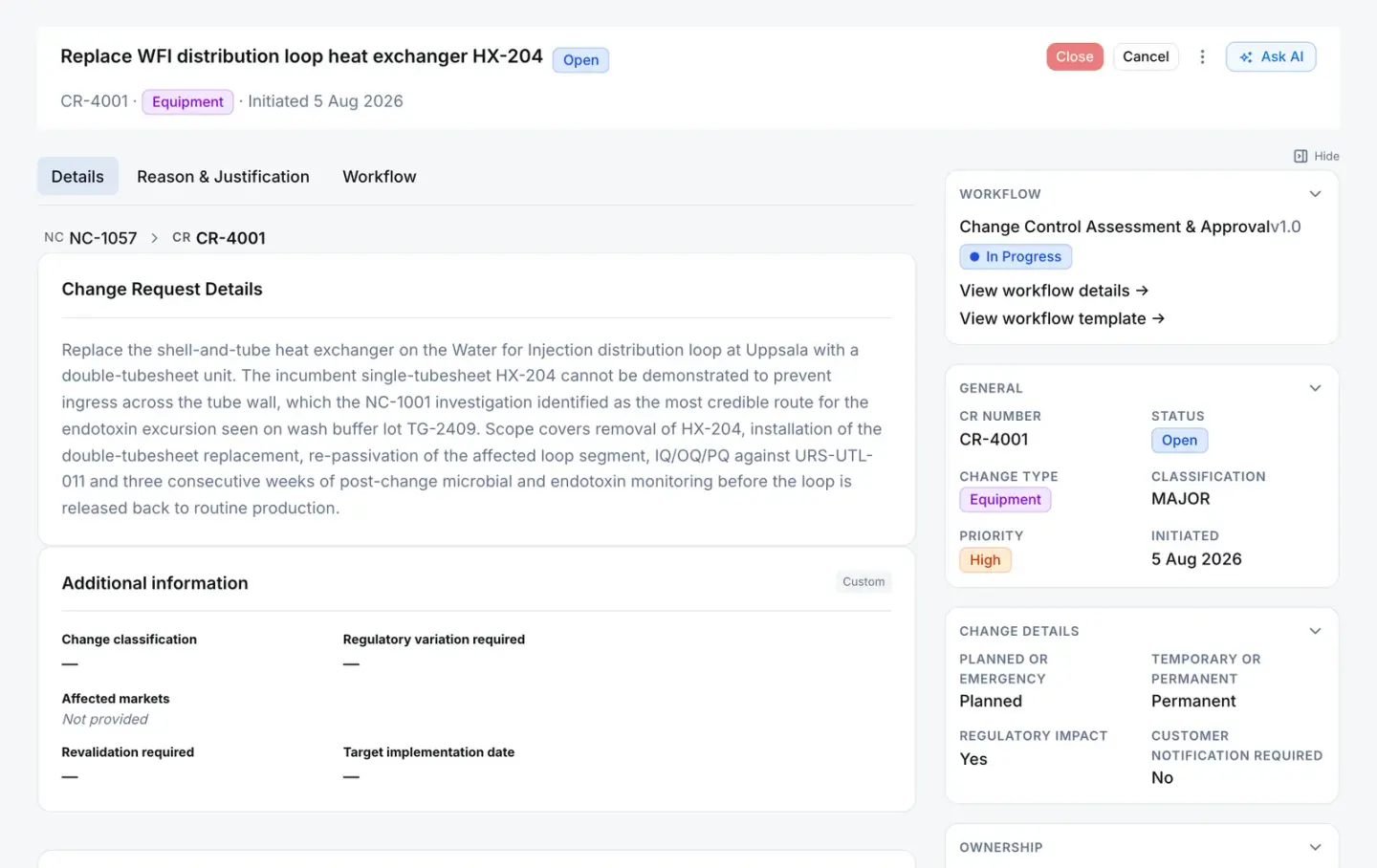
CR-4001 · Change request
Change request CR-4001 in QAbility: open, classified major, with the breadcrumb showing it was raised from nonconformance NC-1057, its description, and its approval workflow in progress.

The breadcrumb names the nonconformance this change came from.

Step by step

How a deviation moves through QAbility. Seven steps, seven records, one system.

Each screen is a real record from our demo company — one example for each step.

  1. Quality event QE-3007

    Someone near the work raises an observation.

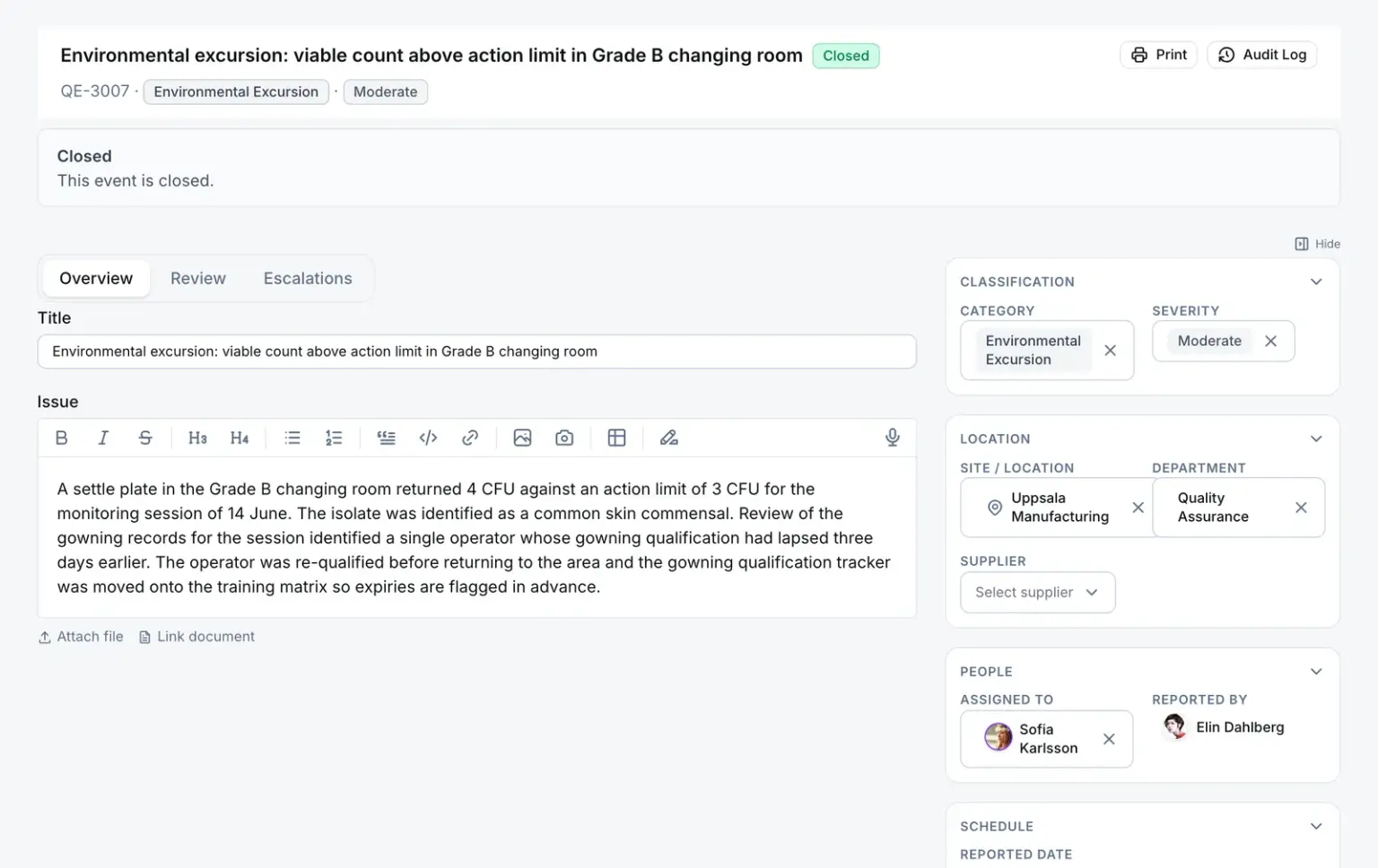
    The system records who reported it, where and when, and assigns a reviewer to decide what happens next.

    Quality event in QAbility
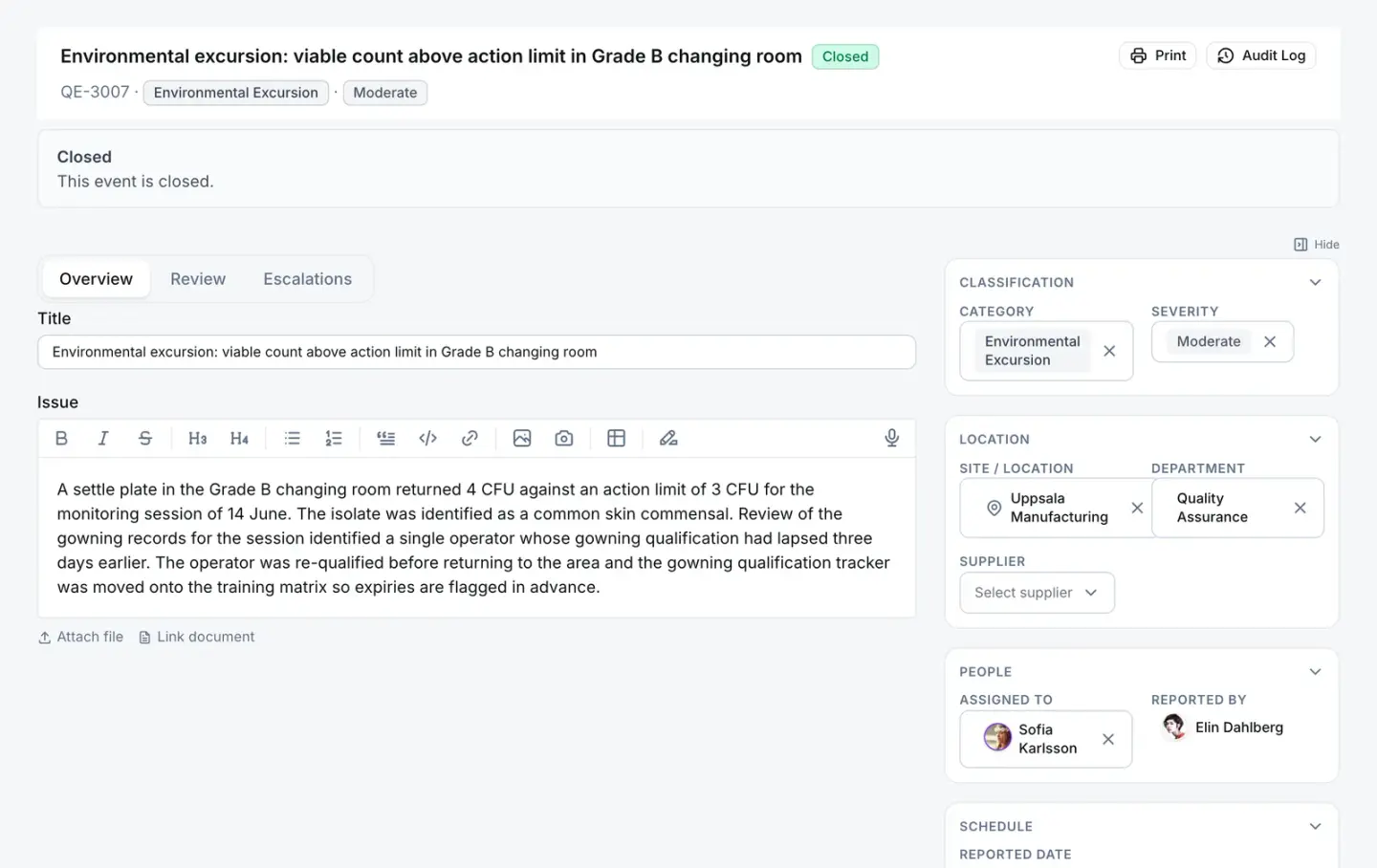
    QE-3007 · Quality event
    Quality event QE-3007, an environmental excursion in a Grade B changing room, with its category, severity, site, the person who reported it and the reviewer it was assigned to.
  2. Nonconformance NC-1217

    QA opens a nonconformance and decides the disposition.

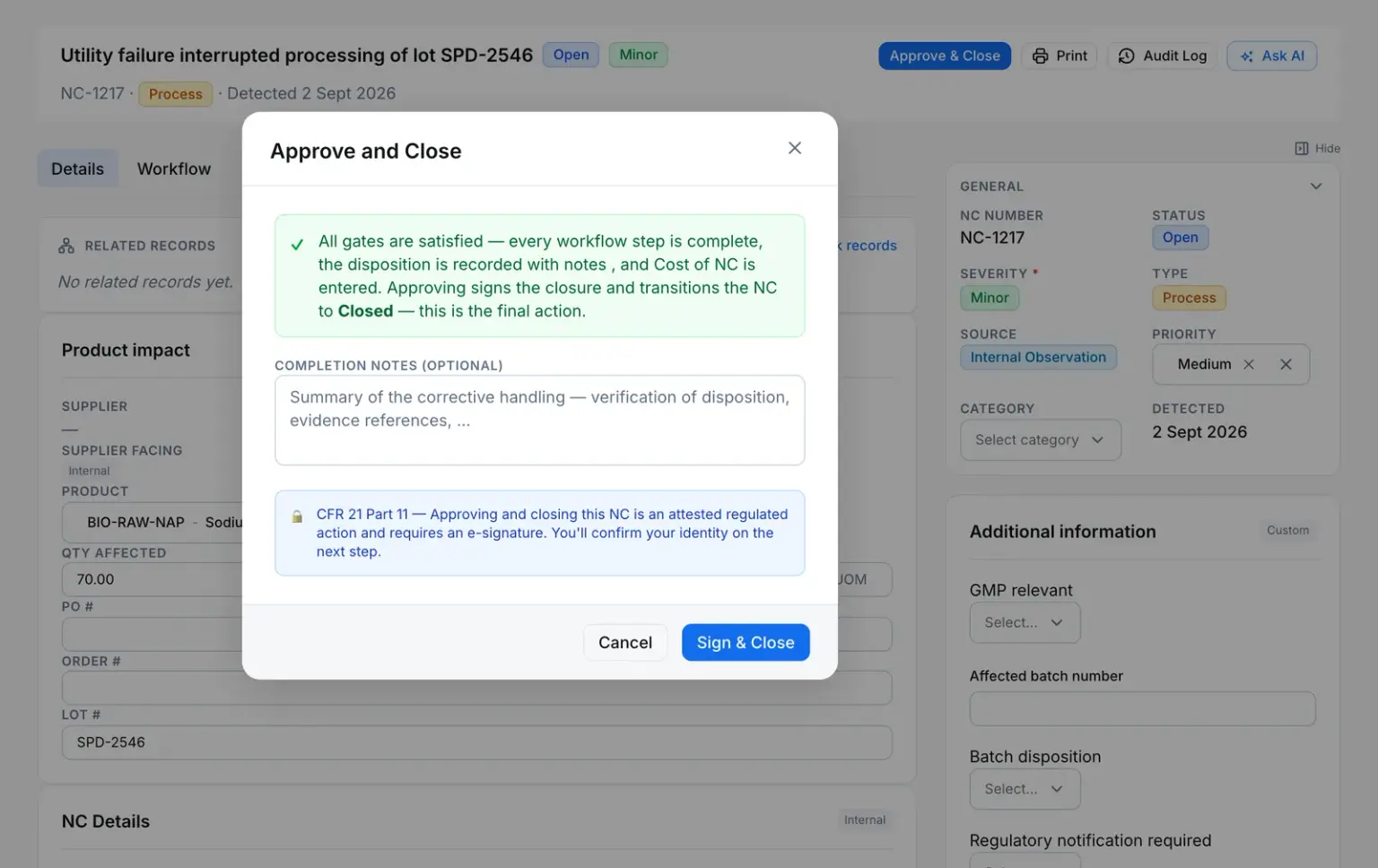
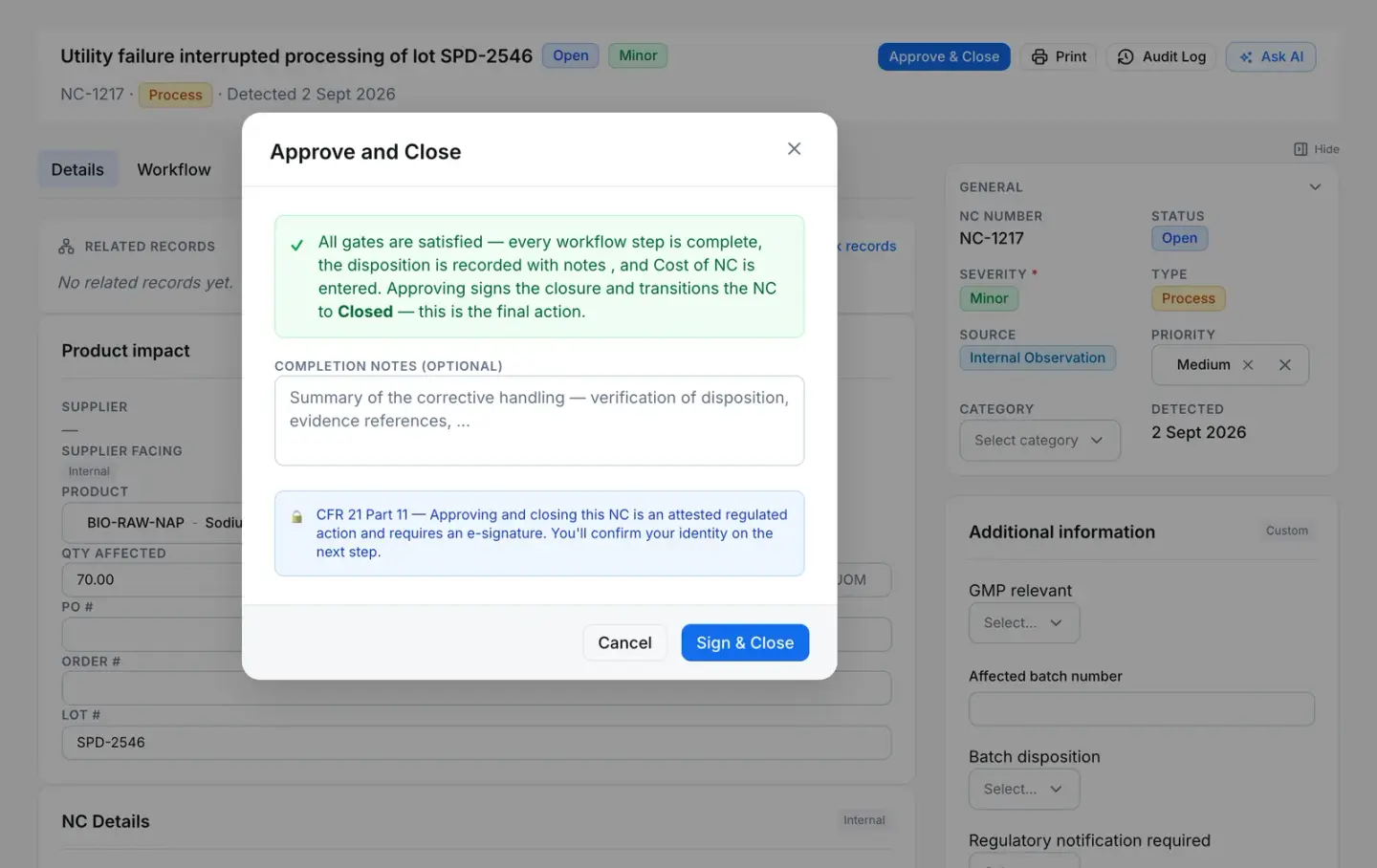
    The system won’t close it until every workflow step is complete and the disposition and cost are recorded — then asks for a signature.

    Nonconformance in QAbility
    NC-1217 · Nonconformance
    Nonconformance NC-1217 with the Approve and Close dialog open: every gate satisfied, and a notice that closing requires an electronic signature.
  3. CAPA CAPA-2139

    The root cause needs a corrective action.

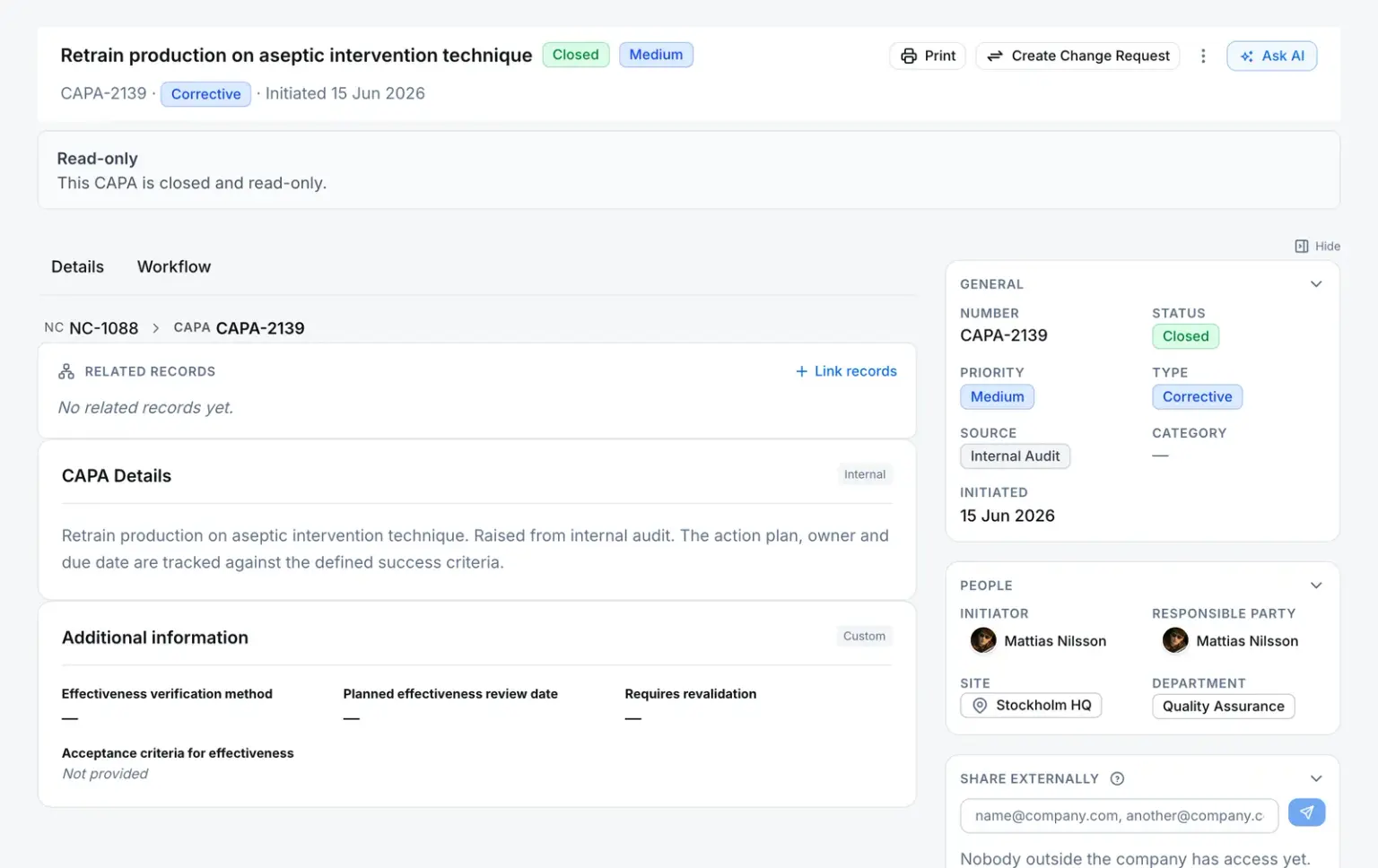
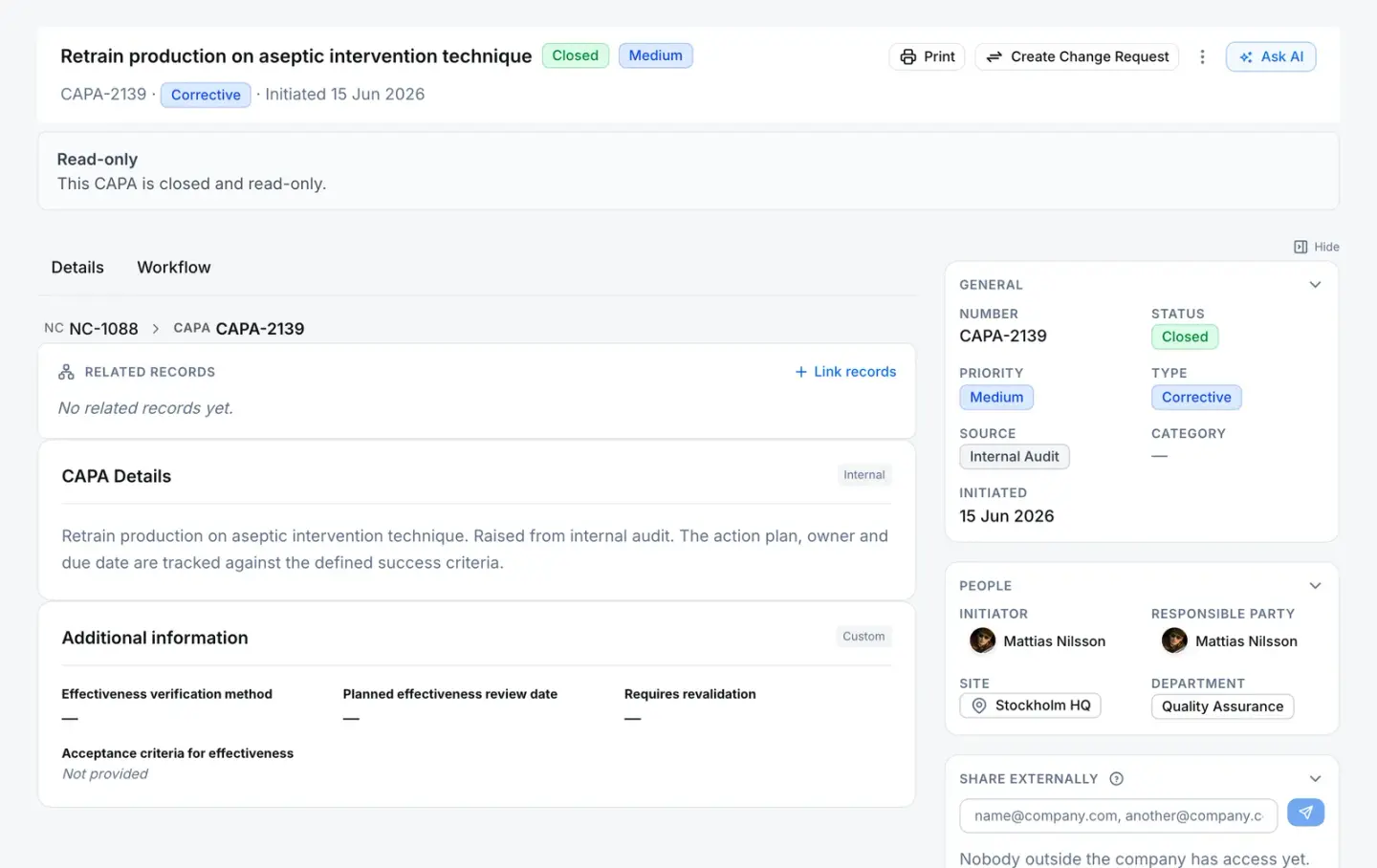
    The system shows the nonconformance the CAPA came from, refuses to close it while a step is open, and makes it read-only once closed.

    CAPA in QAbility
    CAPA-2139 · CAPA
    CAPA-2139, closed and read-only, with the breadcrumb showing it was raised from nonconformance NC-1088.
  4. Change request CR-4001

    The fix needs a controlled change.

    The system names the record that caused the change and routes it through its approval workflow before it can close.

    Change request in QAbility
    CR-4001 · Change request
    Change request CR-4001, raised from nonconformance NC-1057, with its reason for change and its approval workflow in progress.
  5. Document SOP-QA-014 v3.0

    The revised procedure is reviewed, approved and takes effect.

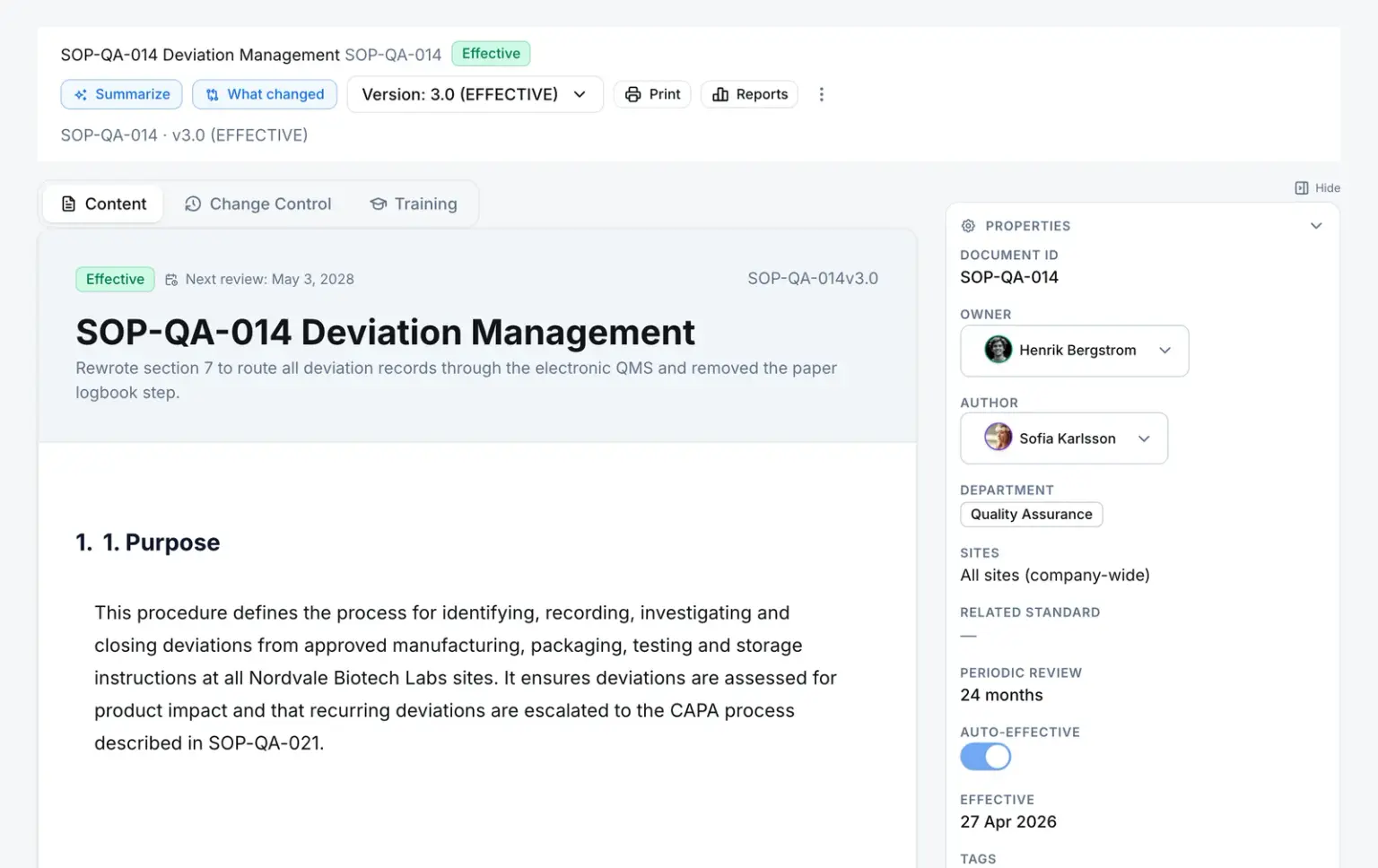
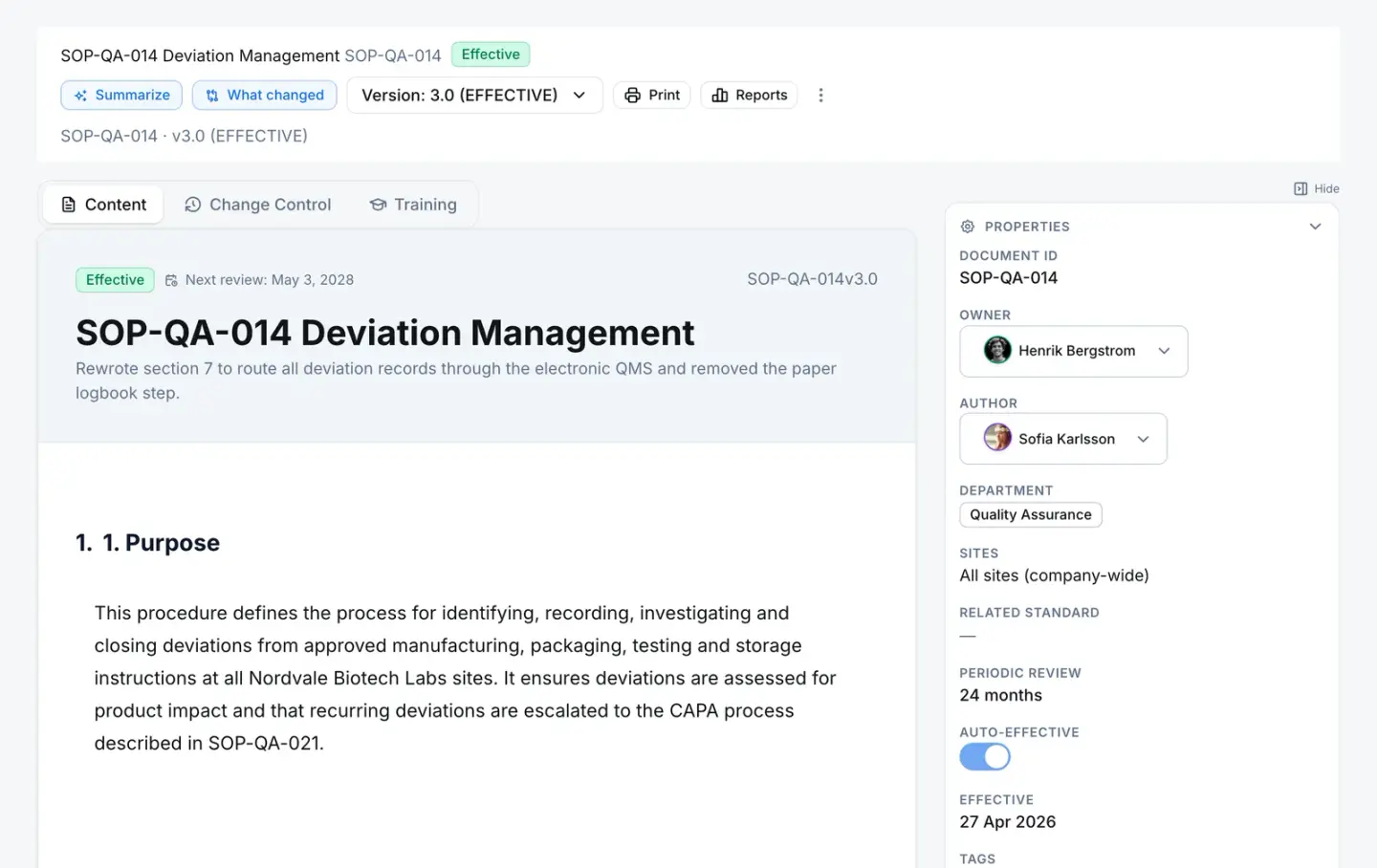
    The system keeps exactly one effective version and files a hashed PDF snapshot of it.

    Document in QAbility
    SOP-QA-014 v3.0 · Document
    SOP-QA-014 Deviation Management at version 3.0, marked Effective, with its version selector, periodic review interval and effective date.
  6. Training Annual GMP Refresher

    The people who follow it are trained — and checked.

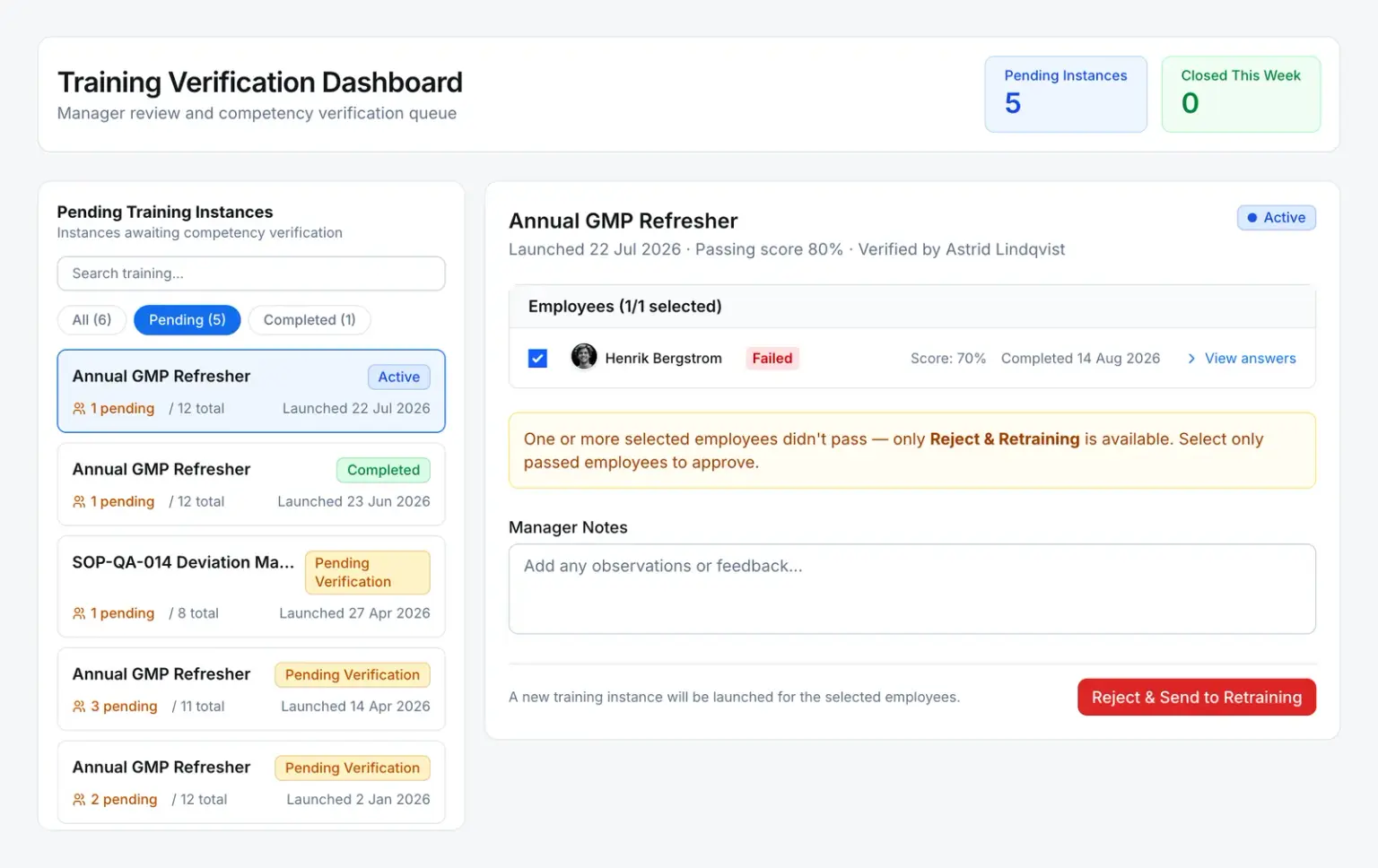
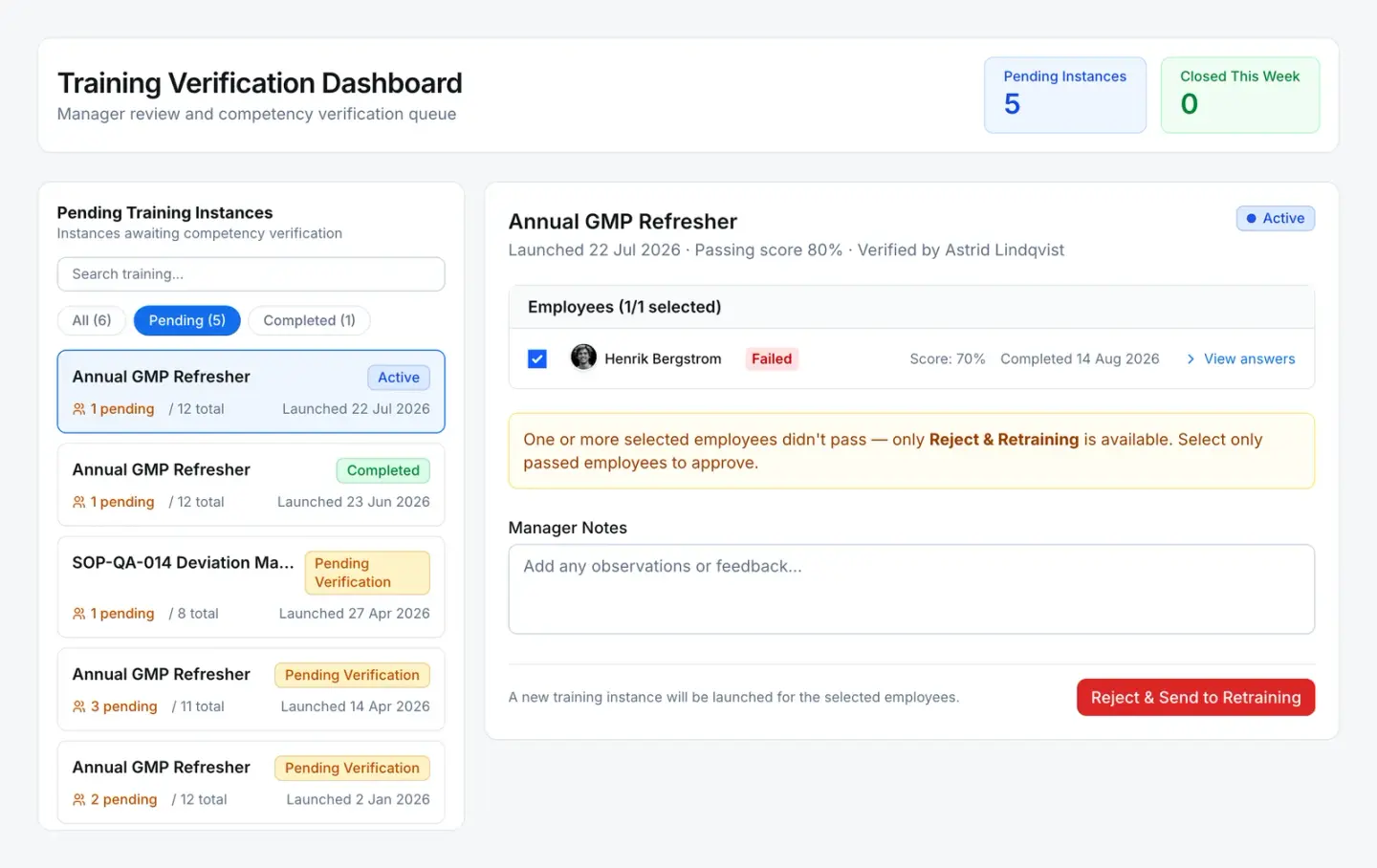
    The system assigns training when a version takes effect and, where verification is on, routes each completion to the learner’s manager to verify.

    Training in QAbility
    Annual GMP Refresher · Training
    The training verification queue: an employee scored 70% against an 80% passing score, so the manager can only reject and send them to retraining.
  7. Audit AUD-2026-0057

    At the next audit, findings become records.

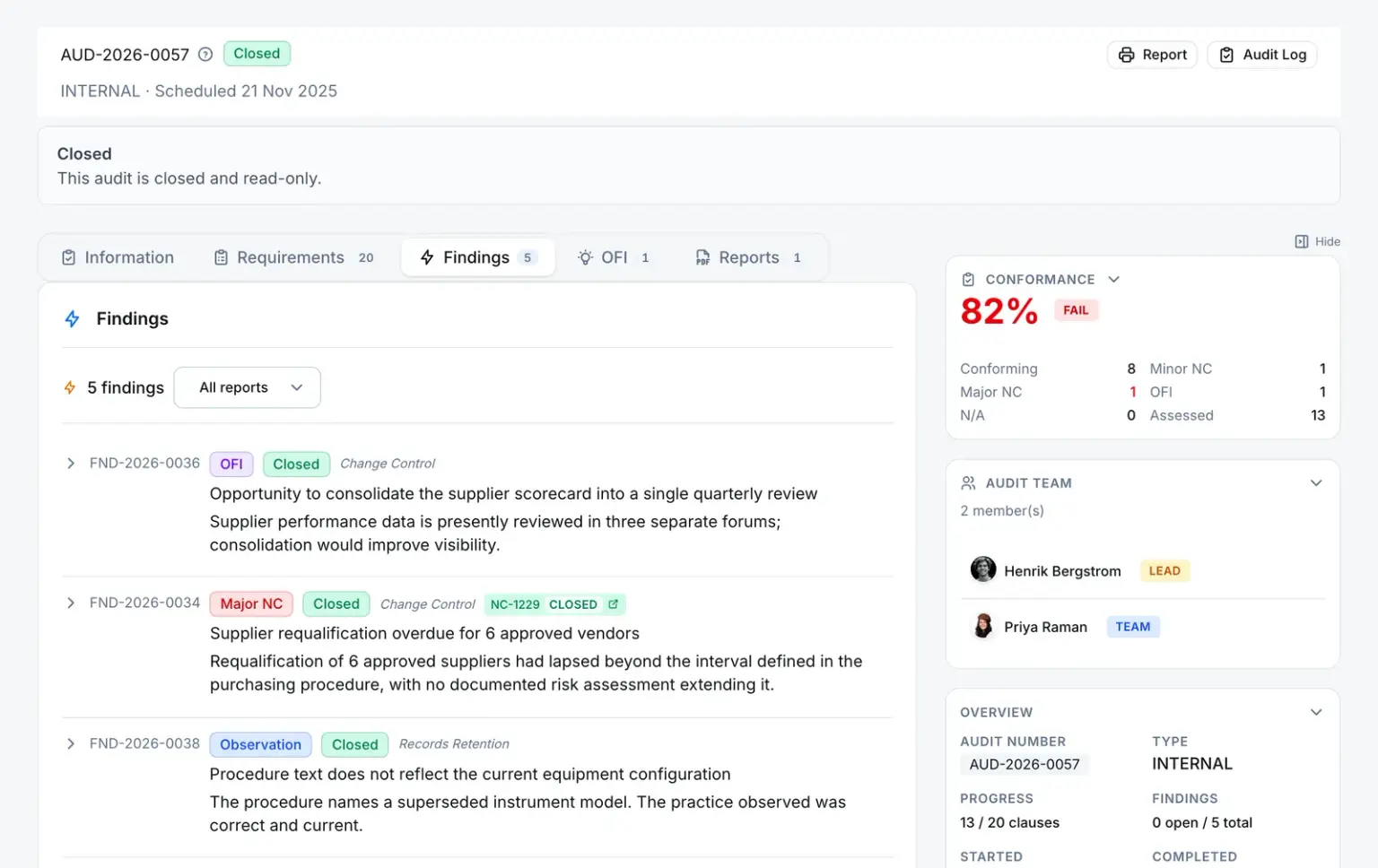
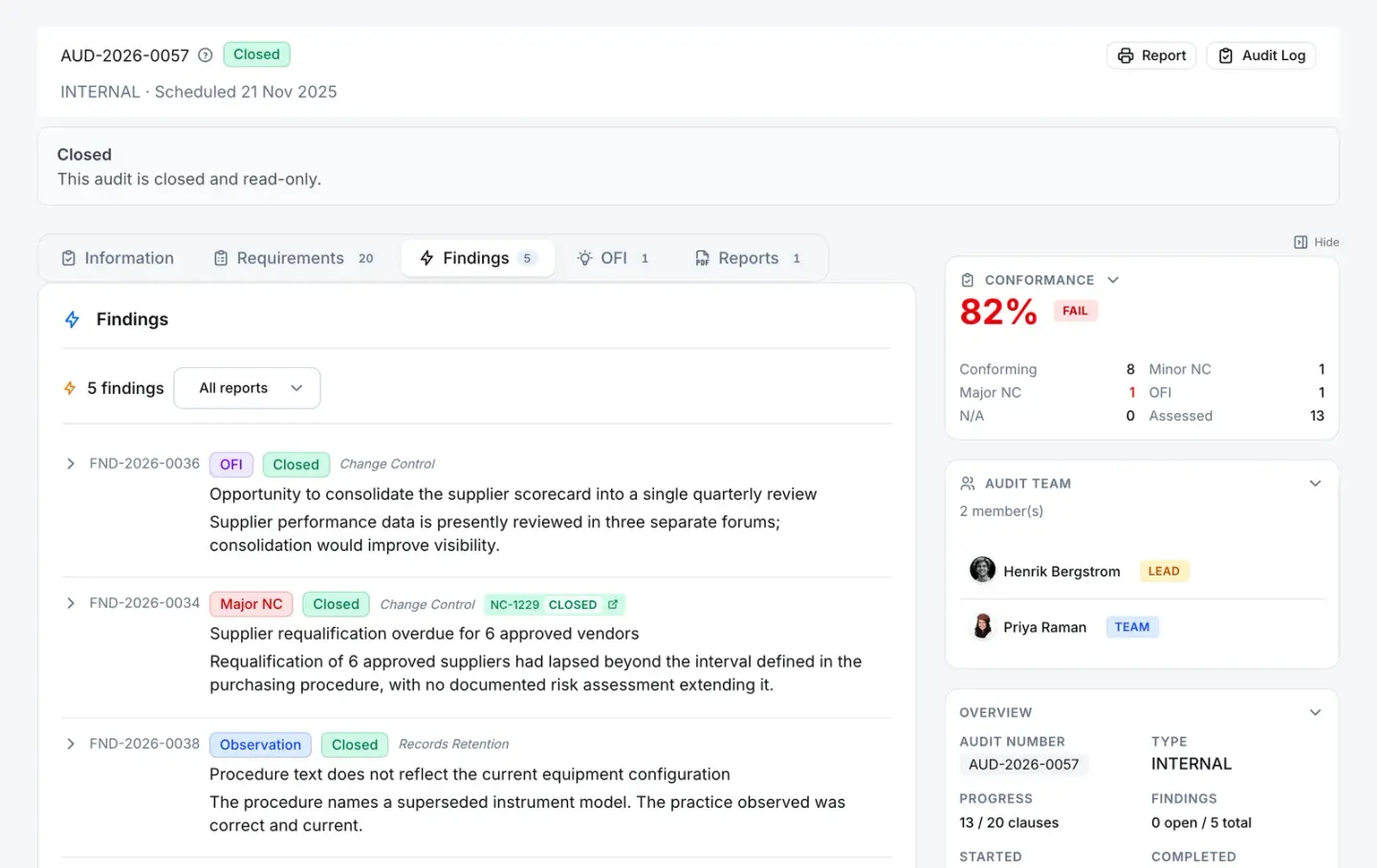
    The system links each finding to the record it raised — here, a major finding to NC-1229.

    Audit in QAbility
    AUD-2026-0057 · Audit
    Closed internal audit AUD-2026-0057 with its findings, including a major nonconformity linked to NC-1229.

Enforced, not advised

What the system won’t let happen. Rules a person can’t skip, shown where they apply.

Database refuses Server refuses

A record moves only along its lifecycle.

Nonconformances, CAPAs and change requests share one lifecycle, and the database refuses any move outside it. Closing asks for more: a nonconformance won’t close until each of these is true.

  • Every workflow step is complete
  • The disposition is recorded, with notes
  • A CAPA is linked, where the NC is flagged as needing one
  • The cost is entered, where the disposition tracks it
  • An electronic signature is given
The shared lifecycle of nonconformances, CAPAs and change requests

A rejected review sends the record back to Draft. Any move outside this lifecycle is refused by the database — not only hidden in the interface.

Server refuses

A signature re-checks who is signing.

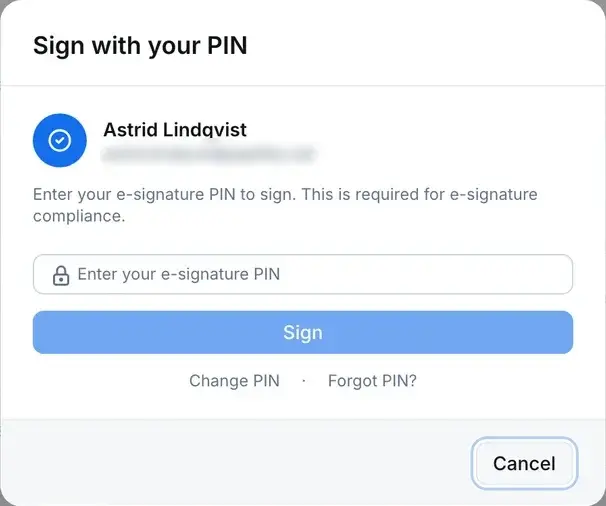
Approving a regulated step asks the signer to prove who they are again, with a dedicated signature PIN, and records the meaning of the signature with it. The printed record carries its approvals and signatures.

Audit trail & e-signatures
The e-signature dialog asking the signer to re-enter their PIN before the action is recorded. The signer’s email address is blurred.
Database refuses

Changes are appended, never edited.

Each change records who made it and when, with the value before and after. The audit log itself refuses updates and deletes at the database.

An audit trail entry for NC-1227: who changed the description and when, with the previous text struck through in red and the new text in green.

Everyone in

Quality isn’t only done by Quality. The people around your records take part directly.

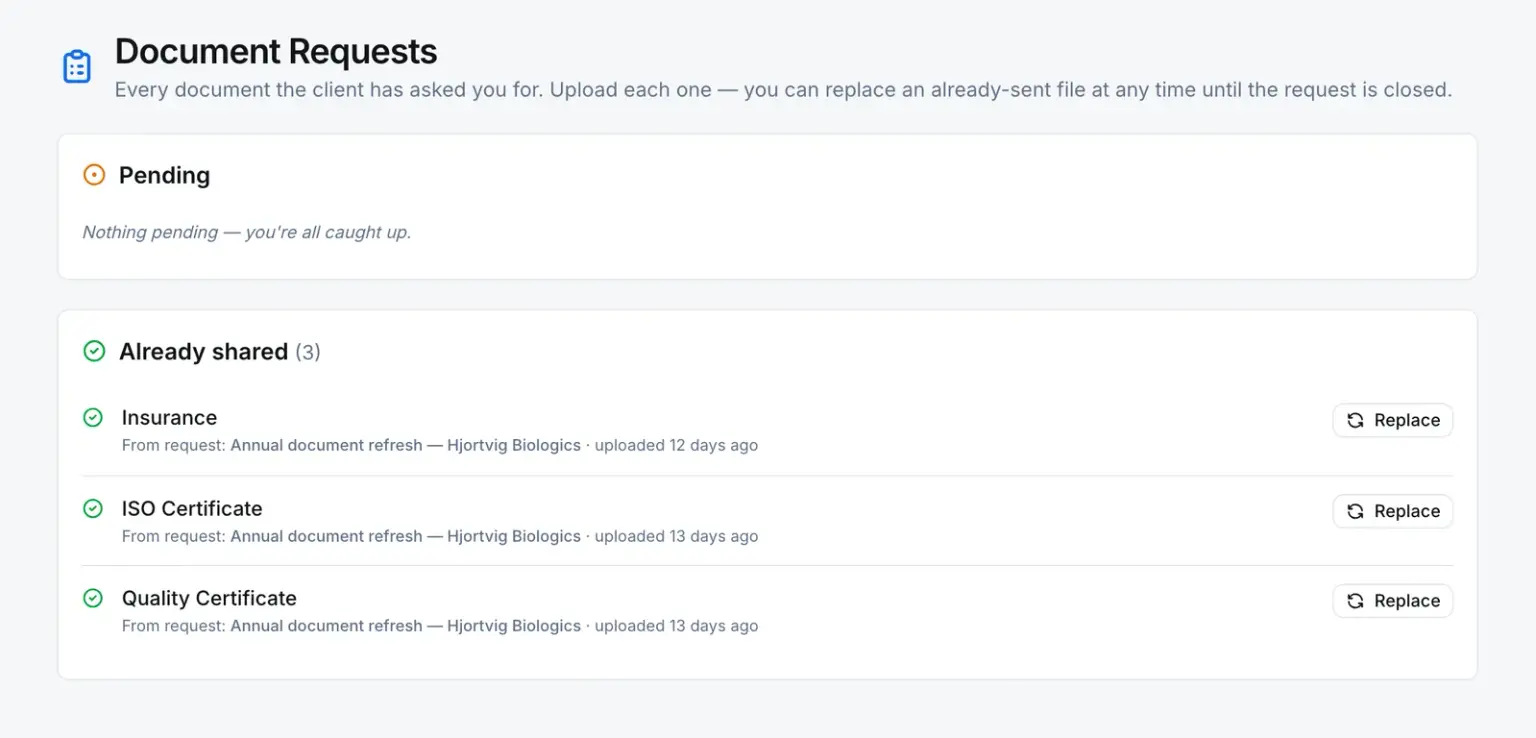
The supplier portal’s document requests: nothing pending, and three documents already shared, each against the request that asked for it.

Suppliers

Suppliers answer document requests in a portal that shows them only what you share.

Supplier quality
  1. 1 Scan the label
  2. 2 Fill the check
  3. 3 File it to the book

The shop floor

Operators scan the label on the equipment and fill the check on a phone. The book can lock each entry when its time window closes.

Logbooks
  1. 1 Send the link
  2. 2 They enter the code
  3. 3 See every open

Auditors

Share a record through a link opened with a one-time code: a read-only summary with its attachments, and a log of each time it was opened.

Security

Everything in the system

One system, three families.

Every capability, by name. The detail for each is one click away.

All capabilities, in detail

Operations & supply chain

Platform & governance

  • Workflow Engine
  • Unified Task Inbox
  • App Builder
  • Custom Fields & Option Sets
  • Automation Rules
  • Notifications
  • Dashboard
  • Floor Portal
  • Audit Trail
  • Integrations & Service Accounts
  • Roles & Permissions
  • Multi-Site & Departments
  • Electronic Signatures
  • User Management
  • Groups & Teams
  • Security Center
  • Settings & Lookups

Compliance, honestly

Built for Part 11 environments.

Compliance is shared. Here is where the line sits.

QAbility supplies

  • Electronic signatures that re-authenticate and record their meaning
  • An append-only audit trail of who changed what, and when
  • Record lifecycles the system enforces
  • Controlled prints that carry approvals and signatures

You do

  • Write the procedures for how signatures are used
  • Validate the system for your intended use
  • Govern accounts and access
  • Train people on your procedures

The whole quality system in every plan. From $6,000 a year.

Supplier, shop-floor and training users are never counted. Logbooks are an add-on, priced per site.

See pricing

Bring your messiest CAPA. We’ll run it in QAbility, on a call.

  • Thirty minutes, on your process
  • Your records, not a canned tour
  • Straight answers on what it does and doesn’t do