Your quality team's AI copilot.
Draft SOPs, summarize CAPAs, explain what changed, and answer audit questions in seconds — an AI layer built into the QMS that's optional, company-scoped, read-only, and fully audited.
What it can do
Four ways AI lightens the load
The sidecar shows up across the whole QMS — generating, summarizing, detecting, and answering, right where the work happens.
Generate
Draft SOPs and outlines from a simple topic.
Summarize
Condense any version and explain what changed.
Detect
Surface similar records and recurring patterns.
Converse
Ask questions about your records in plain language.
A first draft in seconds, not hours.
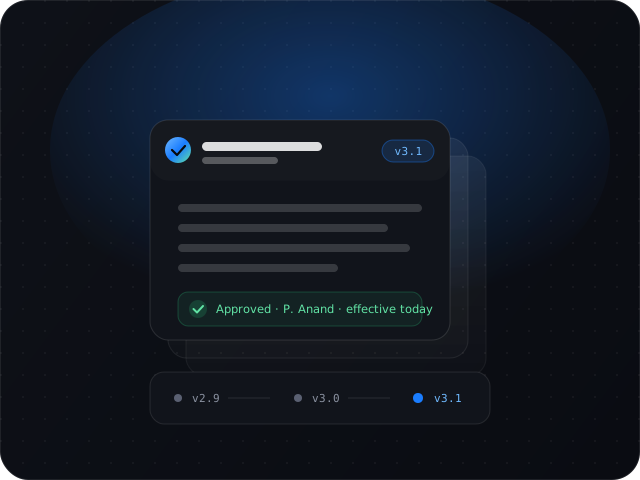
Describe a topic and get a structured SOP outline to start from. Summarize a version into a clear brief, explain exactly what changed between two revisions, and generate training quiz questions straight from a document's content.
- Draft SOP outlines from a topic
- Version summaries & plain-language diffs
- Auto-generated training quizzes & PDF import
Ask your QMS anything.
A chat assistant that actually knows your data. It reads your documents, CAPAs, and nonconformances, finds similar records with semantic search, and can take action through governed tools — so answers come with the work already started.
- Reads your records to answer in context
- Semantic similar-record search
- Invokes actions through scoped tools
Governed by design, not by policy.
The AI sidecar is a separate layer that reads your data but never writes to it. It's off until you turn it on, scoped to your company, and every single invocation is logged — with the option to bring your own model key.
- Off by default — you choose to enable it
- Read-only to your quality data
- Every call logged; bring your own key
And more
Concrete help, everywhere you work
Each capability is a focused, structured task — not a chatbot bolted on the side.
Draft from a topic
Turn a one-line prompt into a structured SOP outline you can refine.
Version summaries
A tl;dr, key points, audience, and compliance notes for any version.
Diff explanations
Understand what changed between two revisions in plain language.
Training quizzes
Generate assessment questions directly from a document's content.
Import from PDF
Structure an existing PDF into a Qability document outline.
Similar-record detection
Find related CAPAs, NCs, and documents to spot repeat issues.
AI you can actually trust